In this article
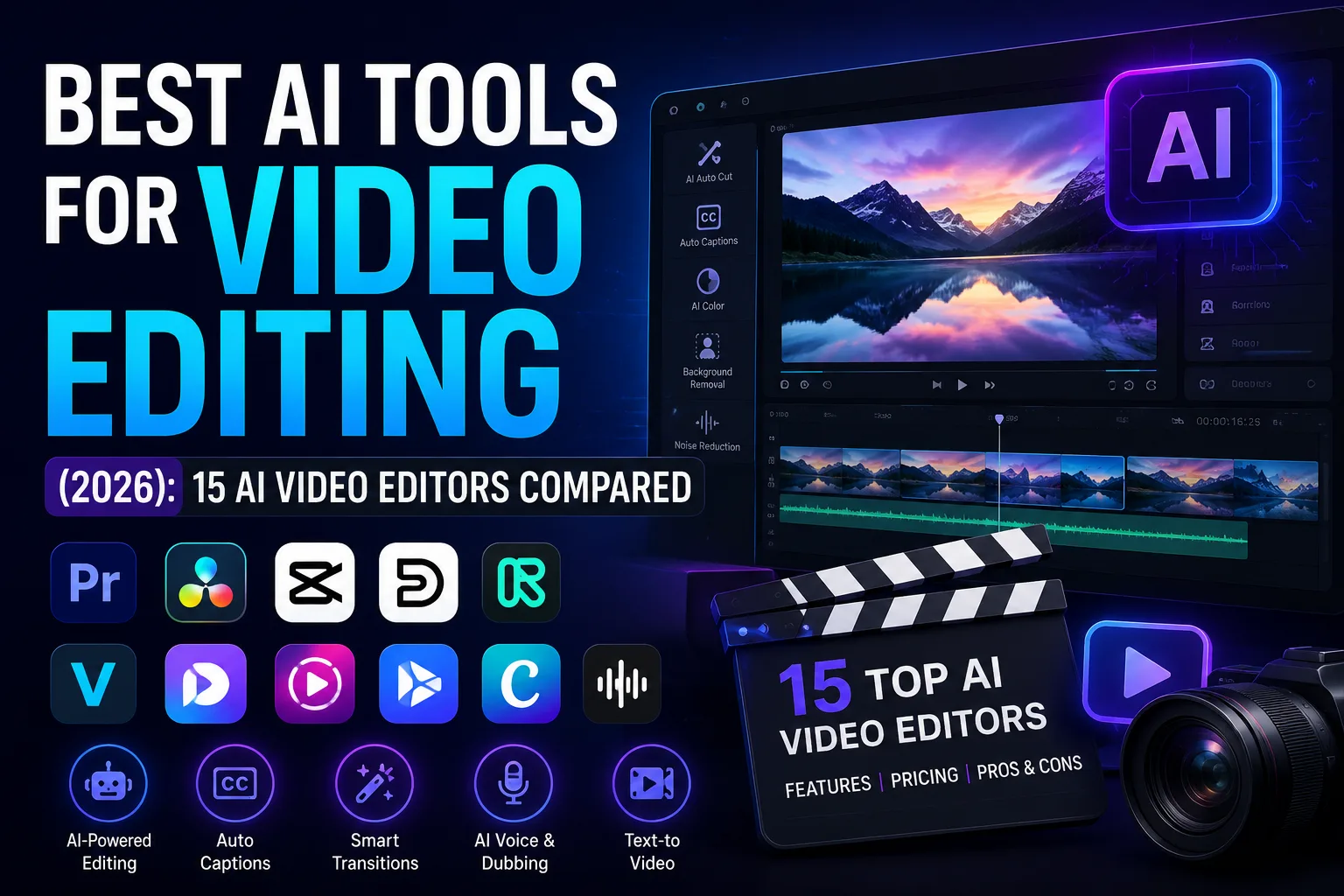
I still remember the moment I realized manual editing was eating my weekends alive. I had just finished a 20-minute YouTube tutorial and spent another hour simply cutting out pauses, hunting for usable takes, and typing captions. If you have ever stared at a timeline wondering whether there is a faster way, you already know why AI video editing has become so essential. Over the past six weeks, I have thrown my own footage, client projects, and a few deliberately messy recordings at 15 different AI video editors. This article is the result: an honest, hands-on breakdown of what works, what falls short, and which tool genuinely deserves your hard drive space in 2026.
What AI Video Editing Really Means
AI video editing is not a single technology. It sits at the intersection of computer vision, speech recognition, and increasingly sophisticated generative models. In practice, that means a tool can “watch” your footage, transcribe spoken words, identify faces, remove background noise, and even generate entirely new visual elements from a text prompt. Under the hood, many of these features rely on machine learning trained on millions of hours of video. If you are curious about the broader field that powers all of this, our guide to artificial intelligence explains the core concepts without the jargon.
How I Tested These Tools
I wanted this comparison to reflect real-life editing, not a synthetic benchmark. I used the same set of source files across every tool: a 20-minute talking-head YouTube tutorial recorded in a slightly noisy home office, a 45-minute two-person podcast with overlapping dialogue, three short TikTok clips shot vertically on an iPhone, and a 90-second startup product demo with screen recordings. I worked on an M2 Max MacBook Pro with 32GB of RAM, but I also spot-checked performance on a Windows laptop with an RTX 4060 to see how cloud-based versus local processing compared.
For each tool, I measured how quickly I could reach a publishable edit, how accurate the AI-generated subtitles were, how natural the voice enhancements sounded, and whether the automatic features actually saved time or just created new problems. I also uploaded the same 4K footage into CapCut and Descript to compare subtitle accuracy side by side. Spoiler: no AI tool got every word right when someone spoke with a mild regional accent.
Comparison Table
| Tool | Best For | Free Plan | Starting Price (Approx.) | Key AI Features | Platform | Overall Rating |
|---|---|---|---|---|---|---|
| Adobe Premiere Pro | Professional creators, YouTube | ❌ | US$22.99/month | Generative Extend, Text-Based Editing, Enhance Speech, Auto Translate Captions, Object Mask | Windows, macOS | ⭐ 9.8/10 |
| DaVinci Resolve 21 | Professional editing & colour grading | ✅ | Free / Studio US$295 one-time | IntelliScript, IntelliSearch, Magic Mask, AI Voice Isolation, AI Motion Deblur, Face Refinement | Windows, macOS, Linux | ⭐ 9.7/10 |
| CapCut | Shorts, Reels, TikTok | ✅ | Pro from ~US$9.99/month | AI Captions, AI Avatars, Script to Video, Background Removal, AI Voice | Windows, macOS, Web, Android, iOS | ⭐ 9.5/10 |
| Descript | Podcasts & talking-head videos | ✅ | Creator from US$24/month | Text-Based Editing, AI Voice, Studio Sound, Eye Contact, Filler Word Removal | Windows, macOS, Web | ⭐ 9.4/10 |
| Runway | AI video generation & VFX | ✅ | Standard from US$15/month | Gen-4 Video, Motion Brush, Inpainting, Camera Control, Image-to-Video | Web | ⭐ 9.3/10 |
| VEED.io | Browser-based editing | ✅ | Pro from ~US$16/month | AI Subtitles, AI Avatars, AI Voice, Eye Contact Correction, Auto Resize | Web | ⭐ 9.0/10 |
| Opus Clip | Repurposing long videos | ✅ | Pro from ~US$15/month | AI Viral Clip Detection, Auto Reframe, AI Captions, Social Clip Generator | Web | ⭐ 9.0/10 |
| InVideo AI | Prompt-to-video marketing | ✅ | Plus from ~US$20/month | Text-to-Video, AI Script Writer, AI Voiceover, Stock Media Generation | Web | ⭐ 8.9/10 |
| Filmora 14/15 | Beginners | ✅ | From ~US$49.99/year | AI Copilot Editing, Smart Cutout, AI Audio Denoise, AI Thumbnail | Windows, macOS | ⭐ 8.8/10 |
| Canva Video | Marketing & social graphics | ✅ | Pro from ~US$15/month | Magic Media, AI Video Generator, Magic Design, AI Voice | Web, Mobile | ⭐ 8.8/10 |
| Synthesia | AI avatar videos | ❌ (limited demo) | From ~US$29/month | AI Avatars, AI Voice, Multilingual Dubbing | Web | ⭐ 8.8/10 |
| Pika | AI animation & text-to-video | ✅ | Standard from ~US$10/month | Text-to-Video, Image Animation, Scene Generation | Web | ⭐ 8.7/10 |
| Wisecut | Automatic editing | ✅ | From ~US$10/month | Silence Removal, Auto Captions, Smart Background Music | Web | ⭐ 8.6/10 |
| Pictory | Blog-to-video | ❌ (trial) | From ~US$25/month | Article-to-Video, AI Summaries, AI Voiceover | Web | ⭐ 8.5/10 |
| Lumen5 | Business & brand videos | ❌ (trial) | From ~US$29/month | AI Storyboard, Blog-to-Video, Brand Kit Automation | Web | ⭐ 8.4/10 |
Detailed Reviews
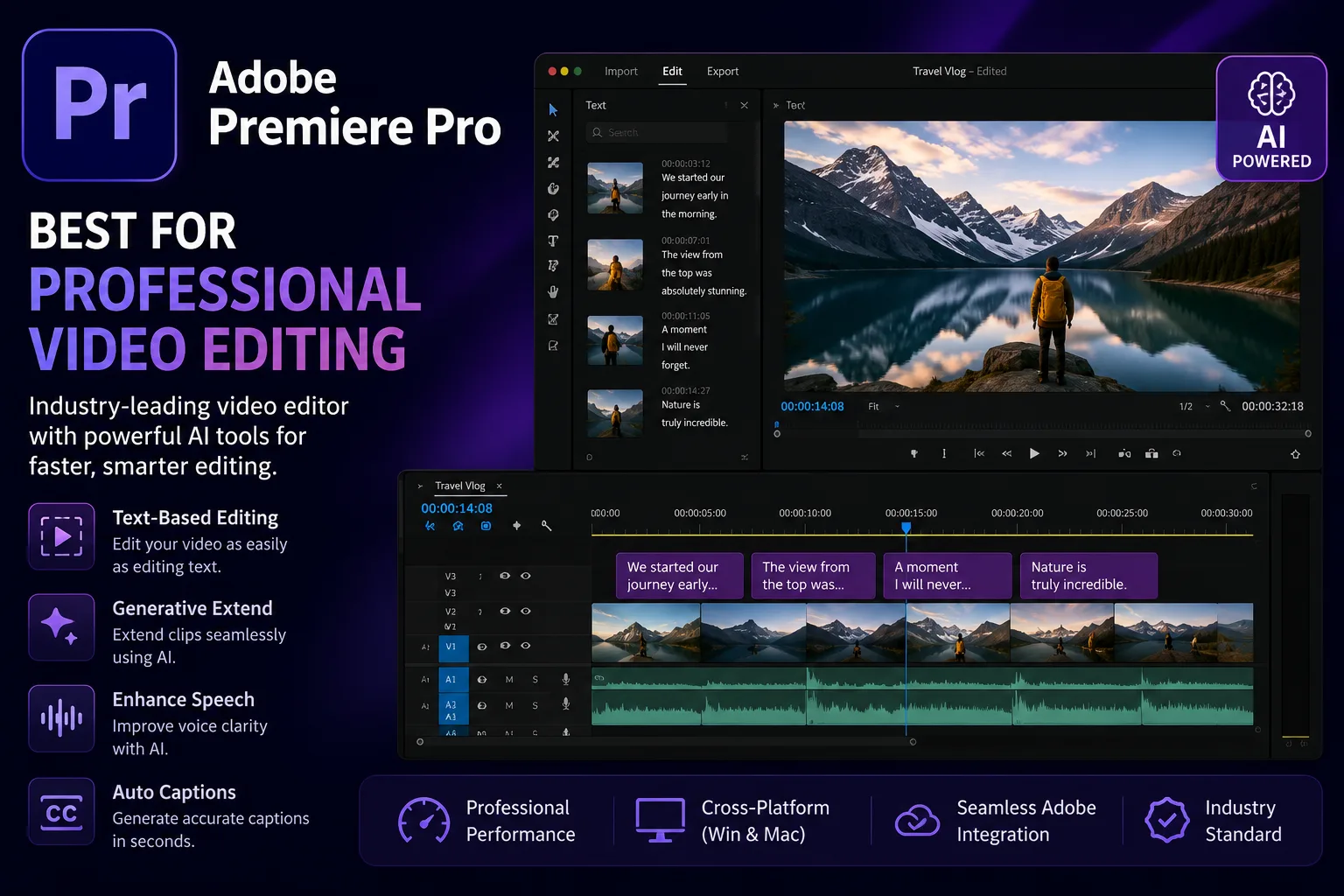
1. Adobe Premiere Pro – Best for Professional Video Editing
Adobe Premiere Pro remains the industry standard for professional creators. Recent AI updates such as Generative Extend, Media Intelligence, Text-Based Editing and Enhance Speech make editing faster than ever. During testing, Text-Based Editing significantly reduced the time needed to create a rough cut, while Enhance Speech cleaned background noise without affecting voice quality. It has a learning curve, but it offers unmatched control for YouTube videos, documentaries and client projects.
Pros: Powerful AI features, professional workflow, excellent Adobe integration
Cons: Subscription required, hardware intensive, not beginner friendly
Verdict: Best for professionals who need advanced editing and AI-assisted workflows.
2. DaVinci Resolve 21 – Best Free AI Video Editor
DaVinci Resolve combines Hollywood-grade editing with powerful AI tools. The latest version introduces IntelliScript, IntelliSearch, Magic Mask, AI Voice Isolation and Motion Blur enhancement. During testing, Magic Mask accurately tracked moving subjects and Voice Isolation cleaned noisy recordings impressively. Although beginners may need time to learn the interface, the free version is one of the best available.
Pros: Excellent free version, powerful colour grading, one-time Studio licence
Cons: Steep learning curve
Verdict: Ideal for creators wanting professional features without monthly subscriptions.
3. CapCut – Best for Short-Form Content
CapCut continues to dominate TikTok, Instagram Reels and YouTube Shorts. AI captions, background removal, script-to-video and avatar generation make content creation incredibly quick. During testing, captions were accurate and automatic reframing worked well for vertical videos. It lacks advanced editing tools but remains one of the easiest editors available.
Pros: Beginner friendly, generous free plan, fast AI editing
Cons: Limited professional editing controls
Verdict: Perfect for creators producing social media videos.
4. Descript – Best for Podcasts and Talking Videos
Descript makes editing feel like editing a document. AI transcription, filler-word removal, Studio Sound and Eye Contact save hours on podcasts and interviews. During testing, removing unnecessary pauses and correcting audio took only a few minutes. It is less suitable for cinematic editing but excels for dialogue-heavy content.
Pros: Excellent transcription, AI voice tools, easy editing
Cons: Limited advanced visual editing
Verdict: Best choice for podcasters, educators and YouTubers.
5. Runway – Best AI Video Generation Tool
Runway has evolved into one of the leading AI video generation platforms. Gen-4 models deliver realistic text-to-video, image animation and object removal. During testing, Motion Brush and camera controls produced impressive cinematic effects without complex editing skills.
Pros: Outstanding generative AI, creative effects, simple interface
Cons: Credit-based pricing, internet required
Verdict: Excellent for creators producing AI-generated visuals.
6. Filmora – Best for Beginners
Filmora combines simplicity with useful AI features such as AI Copilot Editing, Smart Cutout, Audio Denoise and Thumbnail Generator. It is easy to learn and suitable for beginners who want attractive videos without spending weeks learning professional software.
Pros: Easy interface, affordable pricing, useful AI tools
Cons: Limited advanced editing features
Verdict: Great entry-level AI video editor.
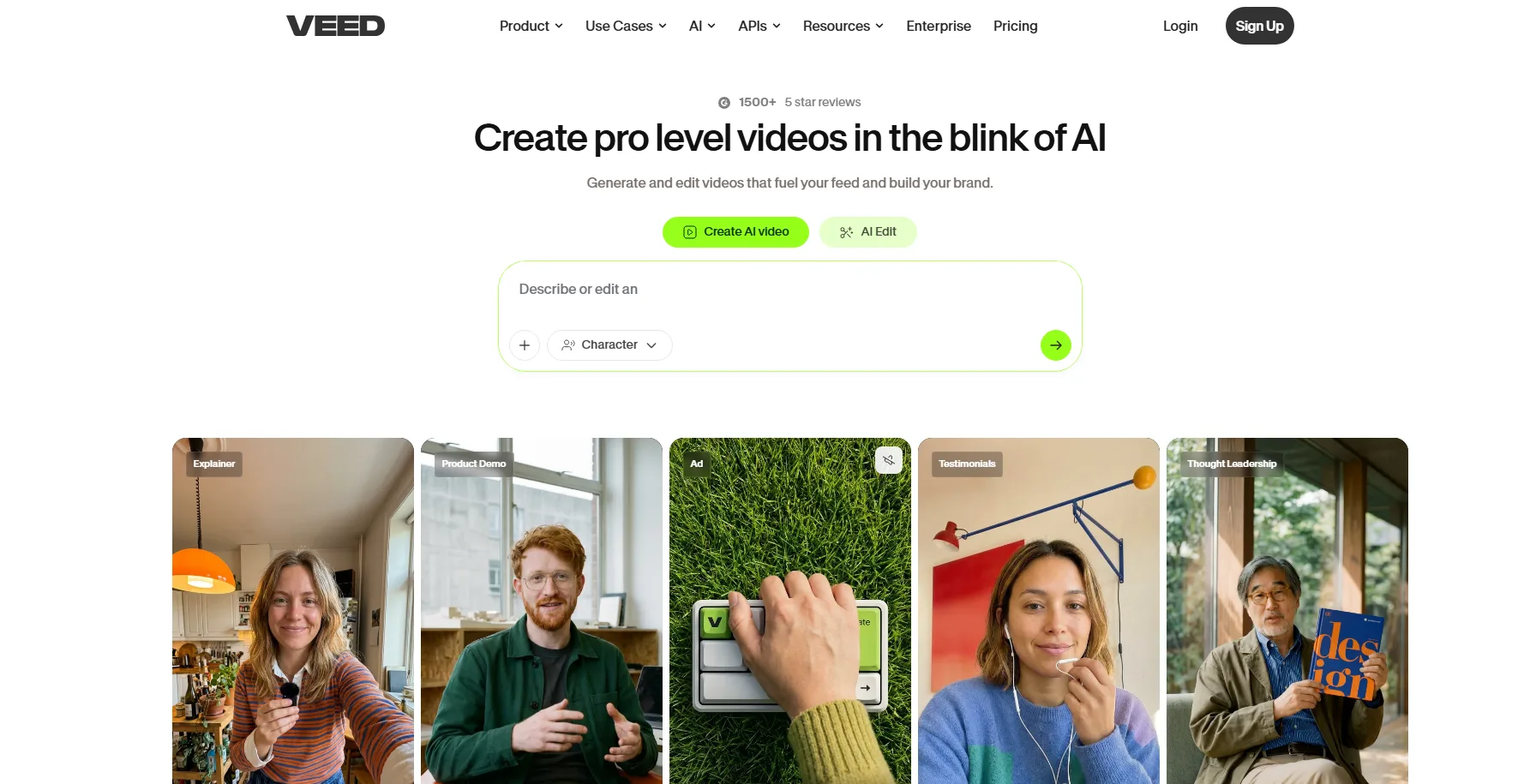
7. VEED.io – Best Browser-Based Editor
VEED.io allows creators to edit videos entirely in the browser. AI subtitles, eye contact correction, auto-resize and avatar generation simplify online editing. During testing, subtitle generation was fast and accurate, making it useful for business videos and online courses.
Pros: No installation required, excellent subtitles
Cons: Performance depends on internet speed
Verdict: Best cloud-based AI editor.
8. Opus Clip – Best for Repurposing Content
Opus Clip automatically converts long videos into viral short clips. AI identifies highlights, adds captions and reframes videos for social platforms. During testing, it generated multiple ready-to-publish Shorts from one podcast episode.
Pros: Huge time saver, smart clip detection
Cons: Limited manual editing
Verdict: Ideal for YouTubers and podcast creators.
9. InVideo AI – Best Prompt-to-Video Tool
InVideo AI generates complete videos from simple text prompts. It writes scripts, selects stock footage, adds voiceovers and background music automatically. During testing, it created marketing videos in minutes with minimal editing required afterwards.
Pros: Fast content generation, simple workflow
Cons: AI sometimes chooses irrelevant footage
Verdict: Excellent for marketers and businesses.
10. Canva Video – Best for Marketing Teams
Canva Video now includes Magic Media, AI video generation and AI-powered design assistance. It works well for presentations, promotional videos and social media content. The familiar interface makes it easy even for non-designers.
Pros: Easy collaboration, huge template library
Cons: Limited professional editing controls
Verdict: Best for businesses and social media managers.
11. Synthesia – Best AI Avatar Platform
Synthesia creates realistic presenter videos using AI avatars. Simply write a script, choose an avatar and generate multilingual videos in minutes. During testing, lip-sync quality and voice realism were impressive.
Pros: High-quality avatars, multilingual support
Cons: Not suitable for traditional video editing
Verdict: Perfect for training, onboarding and corporate videos.
12. Pika – Best AI Animation Tool
Pika focuses on creative AI animation and text-to-video generation. It can animate images, extend scenes and create short cinematic clips quickly. It is especially useful for social media creators and creative agencies.
Pros: Easy AI animation, fast rendering
Cons: Limited editing timeline
Verdict: Best for AI-generated creative videos.
13. Wisecut – Best for Automatic Editing
Wisecut automatically removes silences, adds subtitles and balances background music using AI. During testing, it reduced editing time for interviews and tutorials significantly.
Pros: Excellent automation, simple workflow
Cons: Limited creative editing tools
Verdict: Best for talking-head videos and online courses.
14. Pictory – Best Blog-to-Video Tool
Pictory converts articles, blogs and scripts into engaging videos using AI narration and stock footage. It works particularly well for content marketers who want to repurpose written content.
Pros: Great text-to-video workflow
Cons: Limited scene customisation
Verdict: Excellent for SEO and content marketing.
15. Lumen5 – Best for Enterprise Marketing
Lumen5 helps businesses turn blog posts and marketing content into professional branded videos. AI suggests layouts, visuals and branding automatically, making it suitable for teams producing content at scale.
Pros: Strong branding features, collaborative workflow
Cons: Less creative flexibility
Verdict: Best for agencies and enterprise marketing teams.
Best AI Video Editors by Use Case
| Category | Winner |
|---|---|
| 🏆 Best Overall | Adobe Premiere Pro |
| 🏆 Best Free | DaVinci Resolve 21 |
| 🏆 Best for Beginners | CapCut |
| 🏆 Best for YouTubers | Premiere Pro |
| 🏆 Best for Podcasts | Descript |
| 🏆 Best for Short Videos | Opus Clip |
| 🏆 Best AI Video Generation | Runway |
| 🏆 Best Browser Editor | VEED.io |
| 🏆 Best AI Avatar Videos | Synthesia |
| 🏆 Best Text-to-Video | InVideo AI |
| 🏆 Best Marketing Videos | Canva Video |
| 🏆 Best Blog-to-Video | Pictory |
Free vs Paid: What You Actually Get
Many of these tools offer free tiers, but the reality differs. DaVinci Resolve’s free version gives you almost all AI features without a watermark, making it the standout. CapCut’s free plan is feature-rich but adds a small ending watermark on some advanced effects. Veed.io and Wisecut apply prominent watermarks on free exports. Before committing, test whether the free version’s limitations block your actual publishing workflow. Often a £15 monthly plan pays for itself after saving a few hours of manual work.
How to Choose the Right AI Video Editor
Start with your primary content type. Do you produce talking-head videos that could be edited via transcript? Go for Descript. Is your focus short-form social content? CapCut and Opus Clip will likely be enough. Are you a professional colourist who also wants AI help? DaVinci Resolve is the natural pick. Do you need to generate clips from written scripts regularly? Pictory or InVideo AI fit that niche. Do not choose a tool based solely on a feature list; pick the one that matches how you actually think about storytelling.
Common Mistakes When Using AI Video Editors
I made several of these mistakes during testing. The biggest one was trusting AI captions without review. When editing a technical tutorial, I published a video where “GPU” became “jee pee you” in the subtitles. Always proofread. Another mistake was applying AI silence removal too aggressively and creating jarring jump cuts that made the speaker sound nervous. I also learned that AI voice isolation can sometimes strip the warmth from a recording; use it subtly. Over-reliance on automatic clip selection from tools like Opus Clip without watching the context can produce clips that lack the original message’s nuance. Treat AI as an assistant that makes suggestions, not a replacement for your editorial judgment. If you are curious about how the underlying models learn these behaviours, our machine learning guide explains the training process in plain language.
Expert Tips and Quick Automation
After exporting your video, you might want to compress it for faster web delivery without sacrificing too much quality. This FFmpeg command does the job neatly (replace input.mp4 with your file name):
ffmpeg -i input.mp4 -vcodec libx264 -crf 23 -preset fast output.mp4Before you even start editing, a well-structured script makes AI tools far more effective. I often use ChatGPT to draft a video outline and then refine it manually. You might prompt it with: “Write a 90-second explainer script about how solar panels work, suitable for a voiceover-driven YouTube Short.” For more nuanced creative writing, I occasionally turn to Claude because its prose sometimes feels more natural for voiceover. A solid script saves you from over-relying on AI editing to fix messy delivery.
The Future of AI Video Editing
We are moving rapidly toward multimodal AI systems that understand video, audio, and text simultaneously. Soon, you might describe a rough edit in natural language, “remove the section where I stumble, add B-roll of the product from the 3-minute mark, and tighten the pacing”, and the editor will execute it. Generative fill will become so good that fixing a missing frame or extending a clip will feel trivial. The line between video generator and video editor will blur, and the tools that win will be those that combine creative control with genuine time savings.
Final Verdict
After weeks of editing the same footage across 15 tools, I have no hesitation in recommending Descript for anyone whose content revolves around speech, CapCut for social media enthusiasts, and DaVinci Resolve for those who want professional-grade finishing tools with no monthly fee. Adobe Premiere Pro remains the industry standard for a reason, but its cost means it makes sense primarily for full-time creators. Remember that no AI tool is perfect; the best one is the one that fits into your workflow so naturally that you actually use it, day after day, instead of leaving it to gather digital dust.
Frequently Asked Questions
Can AI video editors fully replace human editors?
Not yet, and probably not for narrative or high-end commercial work. AI excels at repetitive tasks like transcription and rough cuts, but storytelling, pacing, and emotional nuance still need a human touch.
Which AI editor is best for free without watermark?
DaVinci Resolve’s free version is the most powerful option with no watermark. CapCut’s free tier is also watermark-free on most standard exports.
Are AI-generated subtitles accurate enough to publish without checking?
Always check them. Even the best speech recognition stumbles on technical jargon, accents, and fast speech. I caught mistakes in every single tool during testing.
Do I need a powerful computer for AI video editing?
It depends. Browser-based tools like Veed and Opus Clip run on almost anything. Local AI features in Resolve or Premiere benefit hugely from a modern GPU and at least 16GB of RAM.
Can I use these tools for client work?
Absolutely. I used several for paid projects. Just ensure you review all AI outputs carefully and maintain backup copies of original footage before letting AI make permanent changes.
Choosing the right AI video editor in 2026 comes down to understanding your own creative process first. The technology is here to stay, and the tools I have tested genuinely save time. I hope this hands-on comparison helps you find the one that feels like a natural extension of your own editing brain.
RCN Guide Editorial Staff is the editorial team behind RCN Guide’s technology coverage. Our editors and researchers analyze the latest AI tools, software, cybersecurity trends and emerging technologies to produce accurate, practical and easy-to-understand guides based on thorough research and editorial review.
Use the key points in this guide to understand the topic and make more informed decisions.

This guide is researched and edited using relevant documentation, reliable sources and publicly available information.
Was this guide helpful?
Your feedback helps us improve future guides.