In this article
It is 8:12 on a Tuesday morning. Your phone has 47 notifications. Six of them matter. Two are meeting changes, one is a delivery reschedule, one is a bill that needs checking, and two are messages from people who expect a reply before lunch. Somewhere in your calendar, three appointments overlap. Somewhere in your downloads folder, a file you need is called final_v7_REAL.pdf. And somewhere in your head, a small voice is asking why managing a digital life feels like a second job.
That is the gap AI personal assistants are trying to close. Not by adding another app to the pile, but by sitting across the pile and doing the joining-up work. The interesting part is not the chat interface. It is the permission model, the tool calls, the memory, and the very human question of how much access you are willing to hand over.
For years, the digital assistant was a voice in a speaker. It could set a timer, tell you the weather and occasionally mishear a name so badly that the whole room laughed. Useful, but not a manager of anything. The new generation is different in kind, not just in degree. It can read context, call tools, remember preferences and complete multi-step tasks across apps. That shift is why the phrase AI personal assistants now covers everything from a chat window that drafts your emails to an agent that can operate a desktop for hours.
Why the old assistant model stopped being enough
Traditional virtual assistants were built around intents. You said a phrase, the system matched it to a command, and it executed that command. The model was predictable and narrow. Ask it to book a table and it might open a booking app. Ask it to compare three train options, check your calendar, and draft a message to the person you are meeting, and the whole thing falls apart. That is not a failure of voice recognition. It is a failure of architecture.
Modern AI assistants are built around reasoning and tool use. A large language model interprets the request, breaks it into steps, decides which tools or APIs it needs, checks what it is allowed to do, and then acts. The assistant is less like a command line and more like a junior colleague who can read the room, ask for clarification and use the software you already pay for. Sometimes that works beautifully. Sometimes it confidently does the wrong thing at speed. Both outcomes matter.
Traditional assistant
Intent matching, fixed commands, shallow context, single-app actions. Good for timers, weather, calls and simple device control.
Modern AI assistant
Language understanding, tool calling, memory, multi-step planning. Can read, summarise, draft and act across connected services.
There is also an agentic AI layer on top. An agent is an assistant that can pursue a goal over time, choose its own steps and recover from some failures. That is powerful, and it is exactly where reliability and security become harder. A chatbot that suggests a bad email is annoying. An agent that sends it, files it and updates a CRM record is a different category of problem. If you want the developer view of how agents are changing software work, our piece on how AI coding agents are changing the future of programming is a useful companion.
What an AI personal assistant actually is
Strip away the branding and an AI personal assistant is a stack. At the bottom is a model that can reason over text, images and sometimes audio. Above that sits a context layer: your current request, recent conversation, stored preferences and retrieved information from your documents or apps. Then comes the action layer: tools, connectors and APIs that let the assistant do something outside the chat window. Finally there is a permission and approval layer, which is the part most people ignore until something goes wrong.
The context layer is where the magic and the creepiness live. An assistant can only be personal if it knows something about you. That might mean remembering that you prefer morning meetings, that a particular client hates voice notes, or that your train line is unreliable on Sundays. It might also mean reading your screen, your inbox or your files. The line between helpful memory and surveillance is drawn by product design, consent and the controls you actually use.
An AI personal assistant is a language model plus context plus tools plus permissions. Remove any one of those and it stops being useful. Remove the permissions and it stops being safe.
This is also why the same assistant can feel brilliant in one task and useless in another. The model might be excellent at summarising a long email thread and poor at knowing whether a calendar slot is genuinely free. The difference is usually the quality of the tools and the data behind them, not the intelligence of the model alone.
How assistants understand instructions and context
A modern assistant does not simply read your sentence in isolation. It builds a working picture from several sources. Your current message is the obvious one. Then there is conversation history, which helps with pronouns and follow-ups. There is persistent memory, which might store your preferences, your projects or facts you have asked it to remember. There is retrieval augmented generation, or RAG, which pulls relevant chunks from documents, notes or knowledge bases and puts them in front of the model. And on some devices there is on-screen awareness, where the assistant can see what is currently displayed and act on it.
Apple’s Siri AI, for example, has been rebuilt around personal context and on-screen awareness, with developers exposing app actions through App Intents. Google’s Gemini has been connecting Gmail, Calendar, Photos, Maps, YouTube and Search through its Personal Intelligence layer, plus a growing set of Connected Apps. These are different implementations of the same idea: give the assistant enough context to be useful without asking the user to repeat themselves every thirty seconds.
Context windows matter here. A model can only hold so much information at once. Long conversations, large documents and multiple tool results compete for space. That is why assistants summarise, retrieve and prioritise. It is also why they sometimes forget the instruction you gave five minutes ago. The memory problem is not solved. It is being engineered around, imperfectly.
How AI agents connect different applications
This is the plumbing section, and it is worth understanding because it explains both the capability and the risk. Apps expose functionality through APIs. An assistant calls those APIs through tools. A tool is a named function with a description, an input schema and a result. The model chooses the tool, fills in the arguments and receives the output. If the tool is read-only, the assistant can look things up. If the tool can write, the assistant can create, update, send or delete.
The Model Context Protocol, or MCP, has become a common way to standardise that connection. Instead of every assistant building a bespoke integration for every app, an MCP server exposes tools and resources in a predictable format. Claude’s connectors are built on MCP, and the protocol has spread across the industry. The official specification is clear that authorization is transport-level and, when supported, should follow OAuth 2.1 with user consent and explicit review of data access. That sounds dry, but it is the difference between a useful connector and a quiet data leak.
OAuth is the other piece. When you connect an assistant to your calendar or inbox, you are usually granting a scoped token rather than handing over your password. The scope might allow reading events but not deleting them, or reading email but not sending. The trouble is that scopes are often broader than the task requires, and users click through consent screens without reading them. Security researchers have repeatedly warned that over-privileged tokens and prompt injection can turn a helpful agent into a data exfiltration path.
Email, calendars, reminders and appointments
This is where most people feel the benefit first, because email and calendars are where digital life hurts most. An assistant with read access to mail and calendar can triage messages, flag deadlines, summarise long threads, suggest meeting times, draft replies and create reminders. With write access and approval, it can send the reply, move the meeting and add the reminder. With broader access, it can reschedule on your behalf when something clashes.
The practical difference is the approval step. A good assistant will show you the proposed reply, the proposed time change and the list of people affected before it commits. A less careful one will just do it. ChatGPT Work, for example, is designed to follow a project over time, work across apps and files, and pause for approval on important actions. Microsoft has been building Copilot Actions in Windows 11 as an experimental agent that can click, type and scroll through applications, with local actions requiring permission. Those approval moments are not a UX flaw. They are the safety rail.
Let the assistant read widely if you must. Let it write narrowly. The damage from a bad summary is small. The damage from a bad send, delete or payment is not.
Files, documents, research and everyday tasks
File organisation is a quiet superpower. An assistant that can see your cloud drive can group related documents, rename files consistently, archive old projects and surface the one version that actually matters. It can also read those files and produce a summary, a spreadsheet or a slide deck. Claude’s connectors and artifacts have pushed this quite far, with the ability to build sheets, whiteboards and dashboards while carrying context across steps. Google’s Gemini Connected Apps now covers project tools, design tools and even lifestyle services such as fitness planning and event tickets.
Research and shopping comparisons are another natural fit. Ask for three options under a budget, with delivery times and return policies, and an assistant with web access can pull the information together. Ask it to book the option you choose, and you are now in write territory. The same pattern repeats: read and compare is low risk, commit and pay is high risk. If you run a small business, the enterprise version of this pattern is worth understanding, which is why our guide to what enterprise AI actually means in practice pairs well with this section.
Devices, smart homes and the physical world
The assistant is no longer stuck in a browser tab. It is in your phone, your laptop, your car and your home. Google’s Personal Intelligence has been extending into Android Auto, using connected Google apps to personalise responses while driving. Apple’s Siri AI is being opened to developers through App Intents, with personal context and on-screen awareness across Calendar, Files, Mail, Maps, Messages, Notes, Photos, Reminders, Safari and more. Microsoft’s Windows agents can work with local files and apps, with a clear split between local execution and cloud reasoning.
That spread is useful, but it multiplies the permission surface. A phone assistant that can read notifications, a desktop agent that can move files, a car assistant that can read your calendar and a smart home hub that can unlock a door are all separate trust decisions. Treat them separately. A permission you grant on a laptop should not automatically become a permission on every device you own.
Under the hood: tool calling, orchestration and approval
Here is a simplified developer view of what happens when you ask an assistant to schedule a meeting. The model does not magically know your calendar. It produces a plan, selects a calendar tool, supplies arguments and waits for the result. A production system would also check scopes, log the action and ask for approval before writing.
// Simplified illustration of an approval-gated tool call
const request = "Find a free 30 minute slot with Priya next week";

const plan = await assistant.plan({
  request,
  tools: ["calendar.find_free_slot", "calendar.create_event"],
  context: await memory.retrieve({ user, topic: "scheduling" })
});

if (plan.requiresWrite) {
  const approved = await askUser({
    summary: plan.summary,
    scopes: ["calendar.read", "calendar.write"]
  });
  if (!approved) return { status: "cancelled" };
}

const slot = await tools.calendar.findFreeSlot({
  attendees: ["priya@example.com"],
  durationMinutes: 30
});

return tools.calendar.createEvent({ slot, title: "Project catch-up" });
The important part is not the syntax. It is the shape: plan, retrieve, check permission, ask, act, log. Real systems are more complex, with retries, rate limits and policy engines. But if you understand that shape, you can ask better questions about any assistant you use. Does it show me the plan? Does it tell me which scopes it needs? Does it log what it did? Can I revoke access without deleting my account?
What the major platforms can actually do
Capabilities change quickly, so this comparison sticks to what the vendors have documented and shipped, and flags where features are experimental, region-limited or developer-only. It is not a ranking.
ChatGPT
Google Gemini
Microsoft Copilot
Apple Siri AI
Claude
There is no single winner. The right assistant depends on where your digital life already lives. If your work runs on Google Workspace, Gemini’s context is hard to beat. If you live in Microsoft 365, Copilot has the advantage. If you are deep in Apple’s ecosystem, Siri AI’s on-screen awareness is compelling when it is available. If you want an open connector ecosystem, Claude’s MCP approach is the most interoperable. And if you want a single agent that can work across web, mobile and desktop for hours, ChatGPT Work is the most explicit about that ambition.
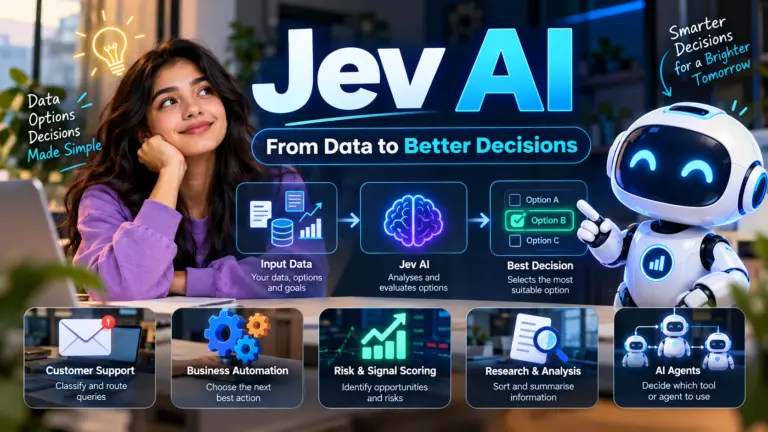
It is also worth looking beyond the biggest names. Privacy-focused alternatives such as Proton Lumo AI appeal to people who want assistance without handing their entire inbox to an ad-funded platform. Smaller assistants such as Jev AI show how quickly specialised features are spreading. The market is not just five products. It is an ecosystem.
Privacy, permissions and the security risks that matter
This is the section that deserves your full attention. An AI personal assistant is a delegated identity. It acts as you, using tokens that represent your authority. If those tokens are too broad, or if the assistant can be tricked into using them in the wrong way, the consequences are not theoretical. Researchers have documented prompt injection attacks that hide instructions in web pages, emails or documents and cause an agent to leak data or take unintended actions. Others have shown how over-privileged OAuth tokens and cross-app permission stacking create risk surfaces that no single app owner ever approved.
The MCP specification itself emphasises user consent and control, and its authorization flow is based on OAuth 2.1. But a specification is not a guarantee. Implementations vary. Tool poisoning, rug-pull attacks and malicious MCP servers are real concerns. A connector that looks harmless can change its behaviour after you approve it. That is why immutable tool definitions, scoped tokens and audit logs matter. If you run your own infrastructure, the same principles apply to the services behind your assistant. Our guide to what a UTM firewall does and our notes on building reliable IT infrastructure are useful background for the network and platform side.
Personal data is the other side of the coin. An assistant that knows your calendar, location, purchase history and messages has a rich profile of your life. The article on how much your phone already knows about you is a useful reality check. Add an agent that can act on that data and the privacy stakes rise. Our guide to protecting your data from automated AI web scrapers and LLM crawlers covers the scraping side, but the same mindset applies to assistants: assume that anything you connect can be read, summarised and potentially exposed if the permissions are wrong.
Authentication is a practical place to start. Passkeys reduce the risk of credential theft and make account takeover harder, and our explainer on how passkeys work without passwords is worth reading before you connect anything important. For developers building assistant backends, identity infrastructure matters just as much. A properly configured identity provider, such as the setup covered in this Keycloak Docker guide, gives you scoped roles, token lifetimes and revocation. That is the difference between a demo and a system you can trust.
A privacy risk matrix
Excessive permissions
Prompt injection
Token leakage
Memory poisoning
Cross-app permission stacking
How to build a safer personal AI workflow
You do not need to be a security engineer to use these tools sensibly, but you do need a few habits. Start with a separate account or profile for experimentation if the platform supports it. Connect the least sensitive service first. Watch what the assistant actually does before you give it write access. And read the permission screen, even when it is boring.
- Grant read access before write access, and only widen it when the assistant has proven reliable.
- Keep high-value accounts such as banking and primary email on a separate approval path, or do not connect them at all.
- Turn on multi-factor authentication and use passkeys where available.
- Review connected apps and OAuth grants every month, and revoke anything you no longer use.
- Check whether the assistant stores memory, where it stores it and whether you can delete it.
- Require human approval for sending, deleting, paying, booking and sharing.
- Treat any document, email or webpage the assistant reads as potentially hostile input.
- Keep audit logs where the platform provides them, especially for business accounts.
- Test with a low-stakes workflow before trusting a high-stakes one.
- Have a manual fallback for anything that would be painful to undo.
What AI personal assistants still cannot do reliably
The gap between a demo and dependable automation is still wide. Research published in 2026 painted a sobering picture: only a small fraction of enterprise generative AI systems reach production, agentic pilots have shown failure rates approaching 70 percent on complex multi-step tasks, and Gartner has predicted that 40 percent of agentic AI projects will be cancelled by 2027 because of cost, unclear value or weak risk controls. Those numbers are about enterprise deployments, not your personal calendar, but the underlying causes apply to both. Long-horizon tasks degrade. Tool arguments get filled in incorrectly. Context accumulates and the model loses the thread. A plan that looks sensible at step one can be nonsense by step seven.
There are also capability limits that no amount of prompting fixes. An assistant cannot reliably know whether a restaurant table is actually available unless it has a working booking integration. It cannot guarantee that a summary is complete. It cannot verify a fact without a source. It cannot understand your workplace politics or your family dynamics. And it cannot take responsibility when something goes wrong. That remains with you.
Treat an AI personal assistant like a capable intern with unusually broad system access and no fear of clicking “confirm”. It can save you hours. It should not be left alone with the keys to everything.
Reliability is improving, but the direction of travel is toward more guardrails, not fewer. Expect more approval checkpoints, more scoped permissions, more audit trails and more emphasis on verifiable actions. The assistants that win trust will be the ones that are boringly predictable about what they will and will not do.
Sources and further reading
Official documentation and research
- OpenAI: ChatGPT Work and agent capabilities
- Google: Connected Apps rolling out to Gemini
- Apple Developer: Siri AI open to developers through App Intents
- Microsoft Learn: AI agents in Windows 11
- Anthropic: Claude connectors and MCP Apps
- Model Context Protocol: Authorization specification
- Model Context Protocol: Core specification and security guidance
- Gartner: Hype Cycle for Artificial Intelligence
- AI Agents in the Trough: The Reality Check on Agentic AI
- Fiddler AI: AI agents and the identity and permission problem
The quiet shift from using apps to supervising them
The most interesting change is not that assistants are getting smarter. It is that the unit of interaction is changing. For twenty years, digital life was organised around apps. You opened a calendar app to manage time, a mail app to manage messages, a notes app to manage thoughts and a browser to manage everything else. The assistant model collapses those boundaries. You state an outcome, and the assistant works out which apps need to be involved.
That shift turns the user into a supervisor. You review plans, approve writes and correct course. It is a different skill from clicking through menus. It requires enough technical literacy to understand what a permission means, enough scepticism to question a confident summary and enough discipline to revoke access you no longer need. The people who thrive with these tools will not be the ones who hand over the most control. They will be the ones who delegate clearly, verify cheaply and keep the irreversible decisions human.
The next few years will bring more connectors, more on-device context and more agents that can operate a desktop or a phone. They will also bring more incidents, more scrutiny and more regulation. The useful question is not whether AI will manage more of your digital life. It already is. The useful question is which parts you are willing to let it manage without looking, and which parts deserve a human pause. A good assistant should make that boundary visible, not blur it.
The assistant that manages your entire digital life will probably not arrive as a single product with a single switch. It will arrive as a series of small permissions you grant, one connector at a time, until one day you realise that most of the boring parts of your digital day are handled by something that knows you quite well. The question worth asking at each step is simple: is this making my life easier without making my decisions less mine? If the answer stays yes, the delegation is working. If it starts to feel like a leap of faith, pause and check the permissions. The best personal AI is not the one that does the most. It is the one you can still supervise.
Use the key points in this guide to understand the topic and make more informed decisions.

This guide is researched and edited using relevant documentation, reliable sources and publicly available information.
Was this guide helpful?
Your feedback helps us improve future guides.