In this article
Every time you load a website, stream a show or check your email, your connection carries a small piece of identifying information: your public IP address. It is assigned by your internet provider, and it travels with every request you make. Most people never think about it, yet websites and online services read it constantly, using it to decide what to show you, how much to trust you and sometimes whether to let you in at all. So what does it actually reveal?
What an IP address reveals
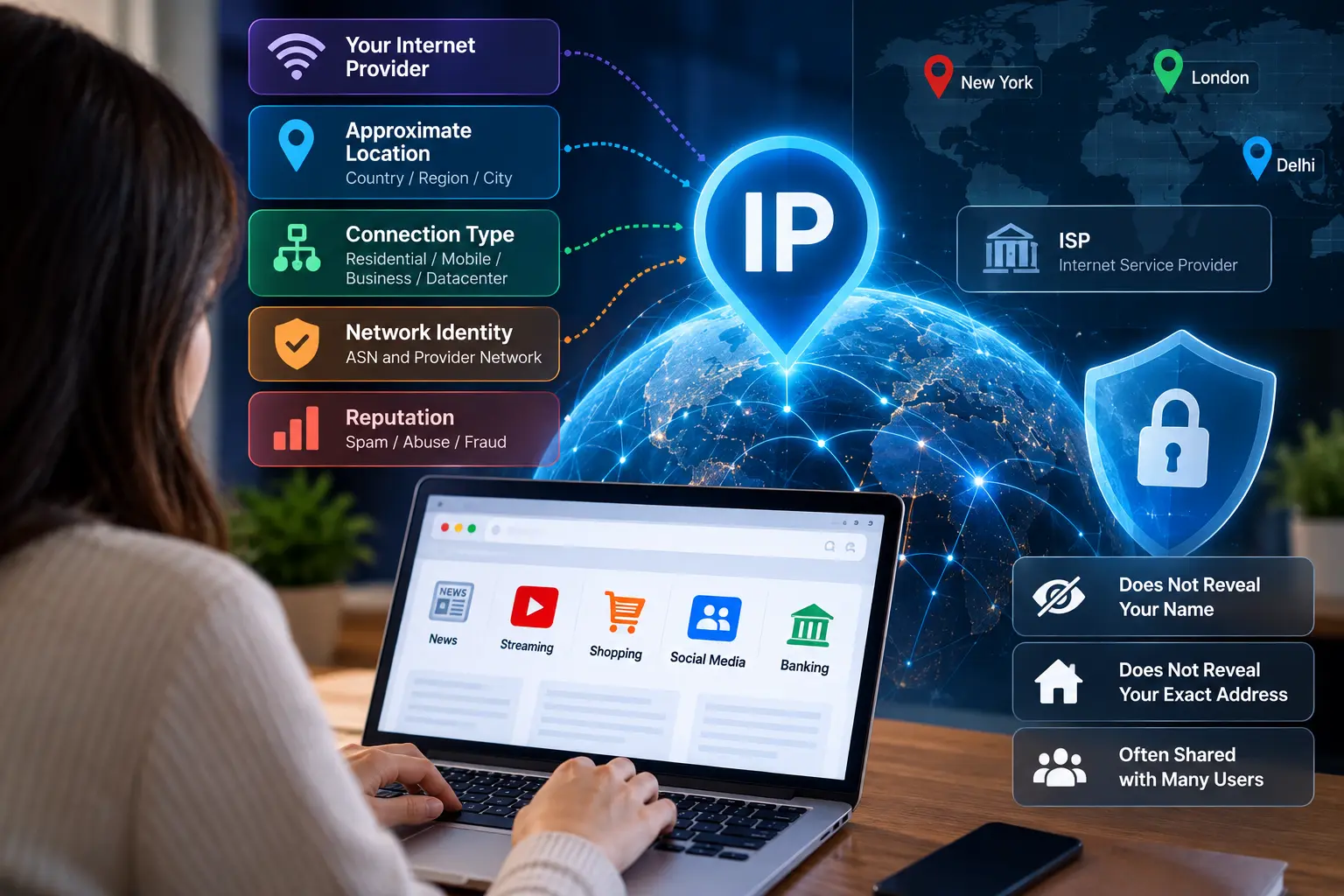
On its own, an IP address is just a number. Its meaning comes from public registries and commercial databases that map address ranges to the organisations that use them. From those lookups, a website can usually learn:
- Your internet provider. The registered owner of the address range, such as a cable, fibre or mobile operator.
- Your approximate location. Typically the country and often the region or city, though the city is frequently wrong, sometimes by a long way.
- Your network’s identity. The autonomous system number (ASN) that identifies your provider’s network on the internet.
- Your connection type. Whether the address belongs to a residential broadband network, a business line, a mobile carrier or a data centre.
- Its reputation. Whether the address, or its range, has been associated with spam, attacks or fraud.
What it does not reveal
An IP address does not tell a website your name, your street address or who in your household is browsing. Your internet provider does know which customer had a given address at a given time, but that information is not public; it is normally released only through legal processes. Geolocation databases can also be surprisingly inaccurate. Many users are placed in the city where their provider has its infrastructure rather than where they actually live.
It is worth knowing that your address may not be yours alone. Many mobile networks and some broadband providers use carrier-grade NAT, which shares a single public address among many customers. If one of them misbehaves, others on the same address can find themselves facing extra verification steps.
How websites use your IP address
Services lean on IP information for several everyday purposes:
- Localisation. Showing prices in your currency, content in your language and results relevant to your area.
- Licensing. Restricting films, sports and other content to the countries where rights have been bought.
- Fraud prevention. Scoring logins and payments as more or less risky based on location and connection type.
- Rate limiting. Slowing or blocking addresses that send too many requests.
- Security. Flagging logins from a new country or an unexpected network.
Why connection type matters so much
Of everything an IP reveals, the connection type has some of the biggest consequences. Addresses from residential providers are treated as ordinary people. Addresses from data centres are often treated with suspicion, because that is where automated traffic, bots and many attacks originate. This is why a cloud server that tries to load certain websites gets challenged with CAPTCHAs or blocked outright, while the same request from a home connection sails through.
That distinction has created demand for a particular kind of proxy. Businesses that need to test websites, verify ads or monitor public data often need traffic that looks like an ordinary broadband user, but with the speed and reliability of a server. ISP proxies provide exactly that: addresses registered to real internet service providers, hosted on datacenter-grade infrastructure. This is why many companies choose to buy isp proxies from providers like Proxy-Cheap, which offers static addresses in more than a dozen countries with unlimited bandwidth, rather than relying on cloud addresses that websites routinely distrust.
Static or dynamic?
Most home connections receive dynamic addresses that change from time to time, after a router restart or when the provider reassigns them. Business plans often include a static address that never changes, which is useful for hosting services or for systems that only accept connections from known addresses. Neither is better for privacy in itself. A static address is easier to link to you over time, while a dynamic one changes the number but not your provider or approximate location.
Protecting your privacy
If you would rather not share your provider and approximate location with every site you visit, you have options. A reputable VPN encrypts your traffic and replaces your address with its own. Privacy-focused browsers and settings reduce the tracking that combines your IP with other identifiers, such as cookies and device fingerprints. Simply understanding that your IP is visible helps you make better choices, such as avoiding sensitive logins on public Wi-Fi and being sceptical of sites that ask for more information than they need.
IPv6 changes the picture slightly
Many providers now assign IPv6 addresses alongside traditional IPv4 ones. With IPv6, a household typically receives a whole block of addresses, and devices may use temporary addresses that change regularly for privacy. Websites can still see your provider and approximate location, but the part of the address that identifies an individual device is designed to rotate. If your connection supports both versions, a site may see either one depending on how it is configured, which occasionally explains why two lookups of your IP return different results. Checking both on an IP lookup site is an easy way to see what you are sharing.
The bottom line
Your IP address is a small piece of data with an outsized influence on your online experience. It tells websites who your provider is, roughly where you are, what kind of connection you have and how trustworthy your traffic might be. It does not reveal your identity on its own, but it shapes what you see, what you pay and how often you are asked to prove you are human. Knowing that puts you in a better position to protect your privacy and make sense of the web’s quirks.
Artificial intelligence is also becoming part of the systems that analyse online behaviour, identify suspicious activity and decide which requests deserve closer attention. Understanding what artificial intelligence is helps explain why these decisions are becoming more sophisticated. Rather than relying entirely on fixed rules, some security systems use machine learning to recognise patterns in login attempts, browsing activity and network traffic. This can help services identify unusual behaviour, although it does not make every decision accurate or eliminate the risk of legitimate users being flagged.
The same technology can also be used to analyse large amounts of information about internet connections. AI-powered security tools can compare signals such as location changes, request frequency, device characteristics and previous activity to estimate whether a connection is trustworthy. These systems are part of a wider shift towards automated security, where AI algorithms help process information and support decisions at a speed that would be difficult to achieve manually. However, an IP address remains only one part of the picture. A shared household connection, a mobile network or a VPN can produce activity that looks unusual without indicating anything malicious.
For website owners, this creates a balance between protecting services and making them accessible. Automated systems can help manage traffic, detect potential abuse and reduce the workload involved in reviewing suspicious requests. At the same time, businesses need to consider how these systems handle legitimate visitors, particularly when people use shared networks or privacy tools. A broader understanding of how AI builds business credibility and trust is relevant here, because security measures should protect users without creating unnecessary barriers or treating every unfamiliar connection as a threat.
As online services become more dependent on automated decision-making, privacy and security will increasingly depend on how different technologies work together. IP addresses provide useful network information, while cookies, browser settings and device fingerprints can add further context. AI can help interpret these signals, but it can also make mistakes when the underlying data is incomplete or misleading. For users, the practical lesson remains the same: understand what information your connection exposes, use privacy tools when appropriate and pay attention to the security practices of the services you trust.
Can Your IP Address Be Used to Track Your Online Activity?
An IP address can help websites recognise where a request comes from, but tracking usually involves several pieces of information working together. Cookies, browser settings, account activity and device characteristics can make it easier for services to connect visits over time. Even when your public IP address changes, other identifiers may remain the same. This is why changing your IP address does not automatically make your browsing anonymous.
The distinction matters because network identification and personal identification are not the same thing. An IP address can indicate that several requests came through the same internet connection, but it cannot reliably establish that the same person made every request. Shared Wi-Fi, mobile networks and carrier-grade NAT can all create situations in which multiple people appear to use the same public address. Websites that rely too heavily on IP-based identification risk confusing ordinary users with one another.
IP Addresses, Browser Fingerprinting and Online Privacy
Browser fingerprinting is another technique that can contribute to online identification. Instead of relying on a single address, it examines characteristics such as the browser version, operating system, screen dimensions, language settings and other technical details. When combined, these characteristics can sometimes help distinguish one browser from another, even when cookies are unavailable.
This explains why privacy protection involves more than hiding your IP address. A VPN can replace the public address visible to a website, but it does not necessarily prevent browser fingerprinting or tracking through an account you have signed into. Similarly, private browsing modes mainly limit certain forms of local browsing history and cookie storage. They should not be treated as complete anonymity tools.
Your phone can reveal other information through its apps, permissions and browsing behaviour. Understanding how your phone knows you better than you think provides useful context for the wider privacy picture. An IP address is one part of a much larger collection of digital signals, and the information exposed depends on the services you use and the settings you choose.
What Happens When Websites Block Your IP Address?
An IP address may be blocked when a website detects activity that appears suspicious, violates its usage rules or exceeds a request limit. Sometimes the restriction is justified, such as when an address sends a large volume of automated requests in a short period. In other cases, legitimate visitors can be affected because their connection shares an address with other users.
For example, a person using public Wi-Fi might encounter a CAPTCHA before accessing a website. The same can happen on a mobile network where thousands of customers share a smaller pool of public IPv4 addresses. A website may see repeated requests from that address and apply additional checks, even though the individual visitor has done nothing unusual.
Businesses face similar challenges when protecting their websites, applications and internal networks. A modern security setup may combine IP reputation checks with authentication, traffic analysis and firewall rules. For organisations reviewing their options, understanding what a UTM firewall is and how it works helps explain how different security functions can work together to monitor and filter network traffic.
How AI Is Changing IP-Based Security
Artificial intelligence is adding another layer to the way online services evaluate connections. Security systems can analyse patterns in login attempts, request frequency, device behaviour and geographical changes to identify activity that deserves further investigation. Rather than treating every request from a particular address in exactly the same way, these systems can consider several signals together.
This approach can be useful when attackers rotate IP addresses or distribute requests across different networks. However, automated analysis is not infallible. A traveller connecting from a new country, an employee using a company VPN or a household sharing one connection may produce activity that differs from previous patterns. Security systems therefore need appropriate thresholds and ways for legitimate users to verify their identity.
The growing use of automated tools also creates new questions about how websites manage access to their content. AI crawlers and automated data collection systems may generate substantial traffic, making it important for website owners to distinguish permitted activity from abusive requests. Our guide to protecting your data from automated AI web scrapers and LLM crawlers explores the wider implications for online publishers and businesses.
Practical Ways to Reduce IP-Related Privacy Risks
There is no single setting that removes every form of online tracking, but a few straightforward habits can reduce unnecessary exposure.
- Use a reputable VPN when appropriate. It can hide your home IP address from the websites you visit, although the VPN provider may be able to see connection information.
- Review browser privacy settings. Limit unnecessary third-party cookies and consider protection against cross-site tracking and fingerprinting.
- Keep devices and browsers updated. Security updates help address vulnerabilities that could expose your information.
- Be selective with app permissions. An application does not necessarily need access to your location, contacts or other personal information to perform its main function.
- Use secure connections. Look for HTTPS when entering passwords or other sensitive information. HTTPS protects data in transit, but it does not hide your IP address from the destination website.
- Avoid unnecessary account linking. Signing into the same account across multiple services can make activity easier to associate with you, regardless of whether your IP address changes.
These measures serve different purposes, so it is worth understanding their limitations rather than assuming that any one of them provides complete privacy.
Frequently Asked Questions About IP Addresses
Can someone find my exact home address from my IP address?
Usually, no. An ordinary IP lookup generally provides an approximate geographical location and information about the network provider. An exact residential address is not normally available through a standard public lookup. Your internet provider may hold customer records connecting an IP address to a subscriber at a particular time.
Does restarting my router change my IP address?
It depends on your internet provider. Some providers assign dynamic addresses that may change after a reconnection, while others retain the same address for long periods. Restarting your router does not guarantee that you will receive a different public IP address.
Does a VPN make my IP address invisible?
A VPN generally replaces the public IP address seen by the websites you visit with the VPN server’s address. The destination website can still see that address, and other tracking methods may continue to identify your browser or account. Your internet provider can also see that you are connecting to a VPN, although the VPN helps protect the contents of your traffic from being read by the provider.
Is a public IP address dangerous to share?
A public IP address is not a password, and knowing it alone does not automatically give someone access to your device. However, it can reveal information about your network and may be used in connection attempts or unwanted traffic. Keeping devices updated, using a properly configured router and avoiding the exposure of unnecessary services are sensible precautions.
Final Thoughts on Your Internet Provider’s IP Address
Your public IP address offers a useful glimpse into the network behind your internet connection, but it tells only part of the story. It can reveal your provider, suggest your approximate location and influence how websites handle your requests. When combined with browser identifiers, account activity and automated analysis, it can also contribute to a more detailed picture of your online behaviour.
The practical approach is to understand what each privacy tool can and cannot do. A VPN can change the address a website sees, browser protections can limit certain tracking techniques, and sensible security settings can reduce the risk of unwanted access. None of these measures guarantees complete anonymity, but together they can give you greater control over the information you expose online.
Use the key points in this guide to understand the topic and make more informed decisions.

This guide is researched and edited using relevant documentation, reliable sources and publicly available information.
Was this guide helpful?
Your feedback helps us improve future guides.