In this article
Key Takeaways
- Contextual intelligence: Siri AI understands on-screen content, personal messages, and app activity together – not in isolation, and not by uploading your data to a general-purpose cloud.
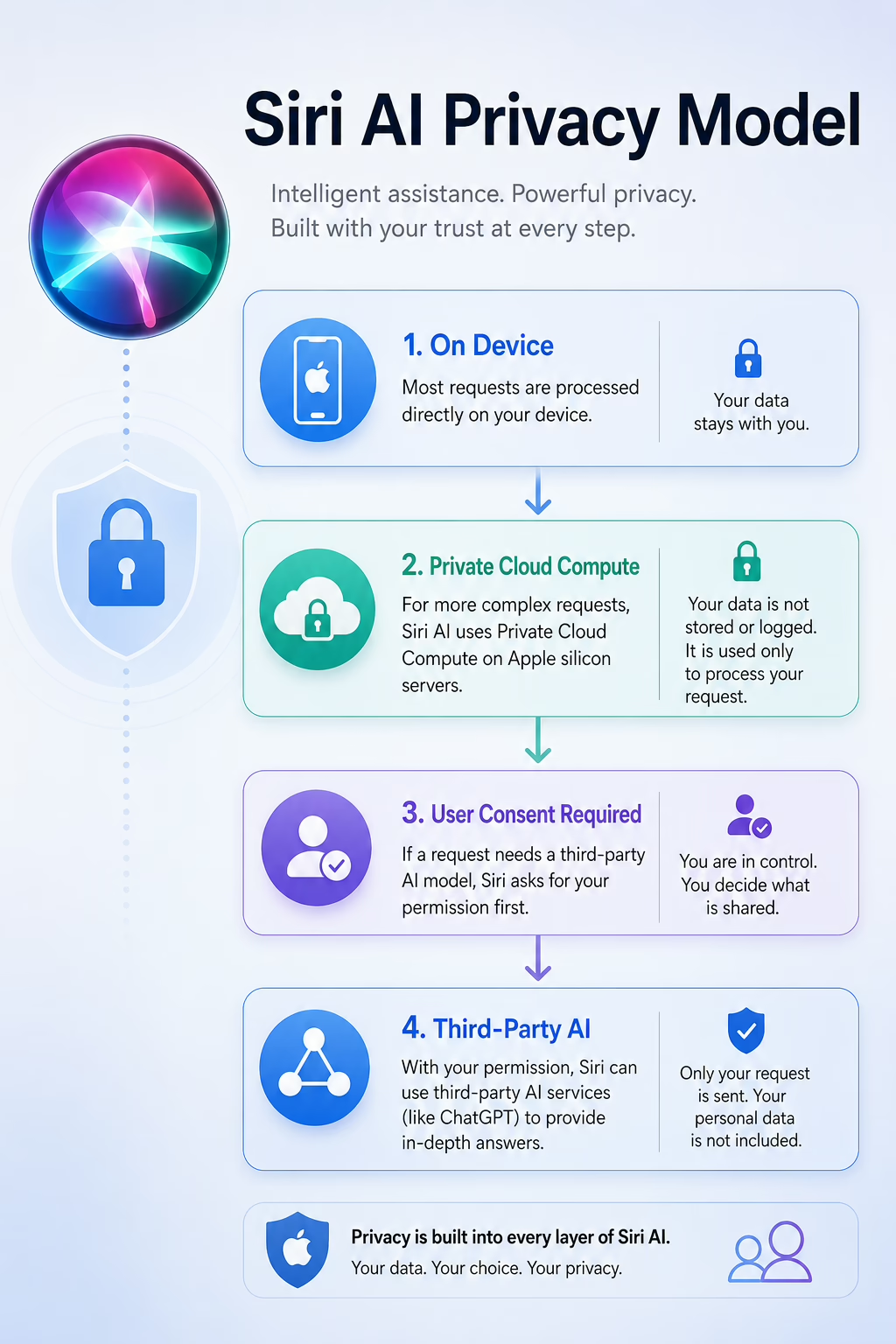
- Tiered privacy architecture: On-device processing handles routine tasks; Private Cloud Compute handles heavier queries without persistent data storage; third-party models handle open-ended reasoning with explicit user consent.
- Ecosystem depth: Cross-app actions spanning Mail, Messages, Photos, Calendar, and third-party apps are native to the OS – something a standalone chatbot is structurally unable to replicate.
- Hardware requirement: Apple Intelligence requires Apple Silicon. That means A17 Pro or later on iPhone, M-series on iPad and Mac. Older devices are excluded entirely.
- Honest caveat: Siri AI’s cross-app capabilities depend heavily on developer adoption of the App Intents framework. Breadth of real-world functionality will grow over months, not days.
Siri has been the tech world’s favorite punchline for years – and not without reason. Launched in 2011 as a landmark product, Apple’s assistant spent the following decade losing ground to Google Assistant, Amazon Alexa, and eventually the LLM-based wave of AI tools that reset consumer expectations entirely. By 2023, it was common to see users open ChatGPT on an iPhone to get help with something Siri should have handled natively.
The Siri AI announced at WWDC 2026 isn’t Apple claiming it has caught up on all fronts. It’s Apple making a different argument: that the most useful AI assistant isn’t necessarily the one with the largest model or the most world-knowledge, but the one that knows you – your files, your messages, your screen, your calendar – and can act on that knowledge without shipping it to a remote server.
That argument is architecturally coherent. Whether it translates into daily-use reliability at scale is the question only the months after launch will answer. This guide breaks down what Apple has built, what the competitive landscape actually looks like, and what users and developers should realistically expect.
What Is Siri AI?
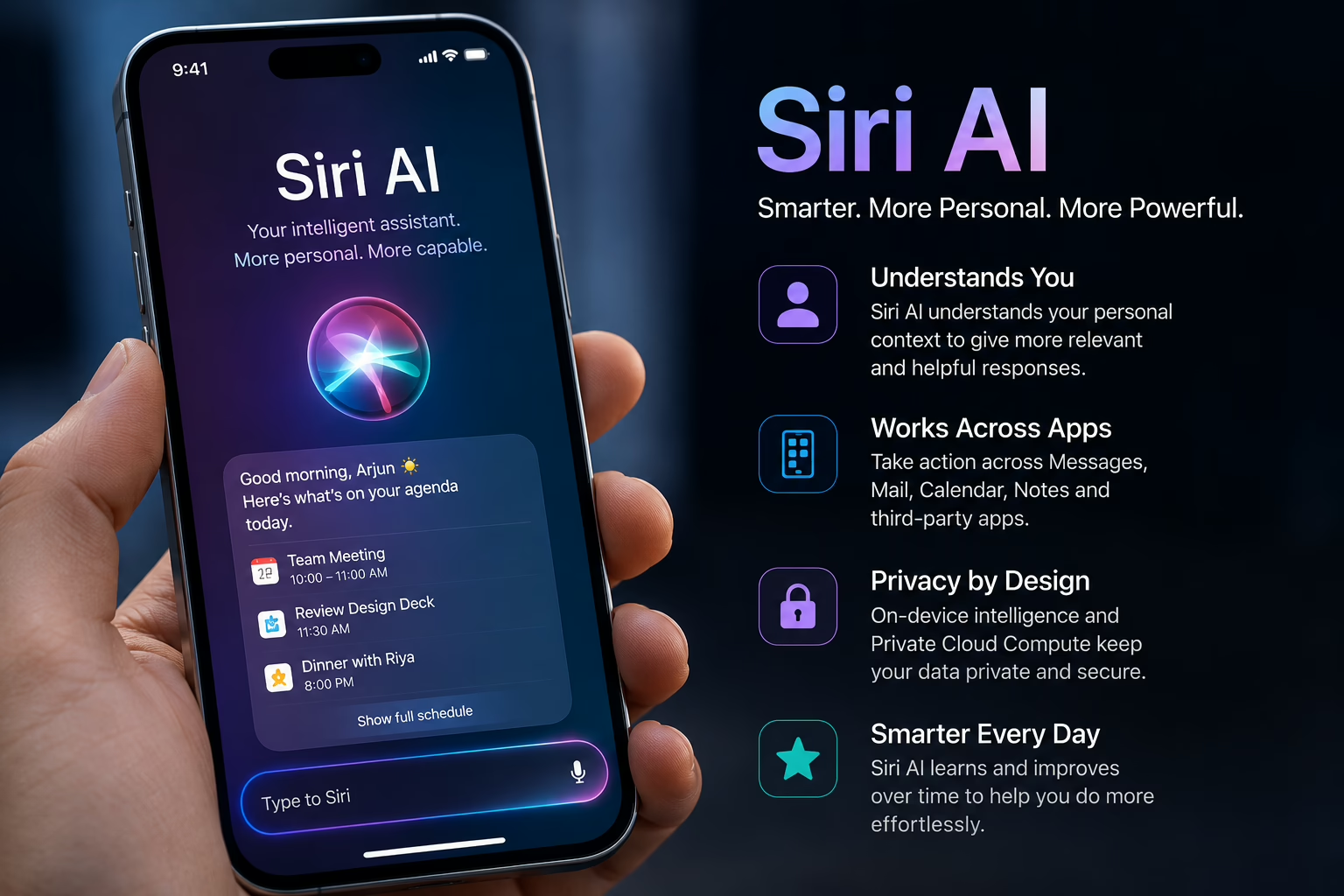
Siri AI is the rebuilt interface for Apple Intelligence, the AI framework Apple introduced in 2024 and has been expanding through successive OS updates. The fundamental change is architectural: the old Siri was built on intent-matching, where your request had to land near a recognized phrase for Siri to respond usefully. Siri AI replaces that with large language and vision models capable of reasoning about open-ended, ambiguous, and multi-step requests.
The practical difference is significant. The old Siri needed your phrasing to conform to its expectations. Siri AI can handle natural follow-up questions, recover from vague requests, and operate with awareness of both your screen and your personal data simultaneously.
Why Apple Rebuilt Siri – And Why the Timing Makes Sense
The competitive pressure is obvious, but the timing reflects something more specific. ChatGPT’s 2022 release didn’t just create a new product category; it created a new user expectation. People who had tolerated Siri’s limitations for a decade began switching to LLMs for tasks that a voice assistant should have owned: drafting messages, summarizing documents, managing information across apps.
Apple’s engineers faced a specific constraint in responding: the most capable AI models are large, power-hungry, and cloud-dependent. Running frontier-scale models entirely on-device wasn’t practical. Running them entirely in the cloud meant routing personal data, messages, photos, emails through remote servers, which contradicts Apple’s privacy positioning in a way that would be commercially damaging, not just philosophically inconsistent.
The solution Apple developed was a tiered processing architecture. It’s the most technically interesting aspect of Siri AI, and it’s worth understanding in detail.
How Siri AI Works: The Three-Tier Architecture
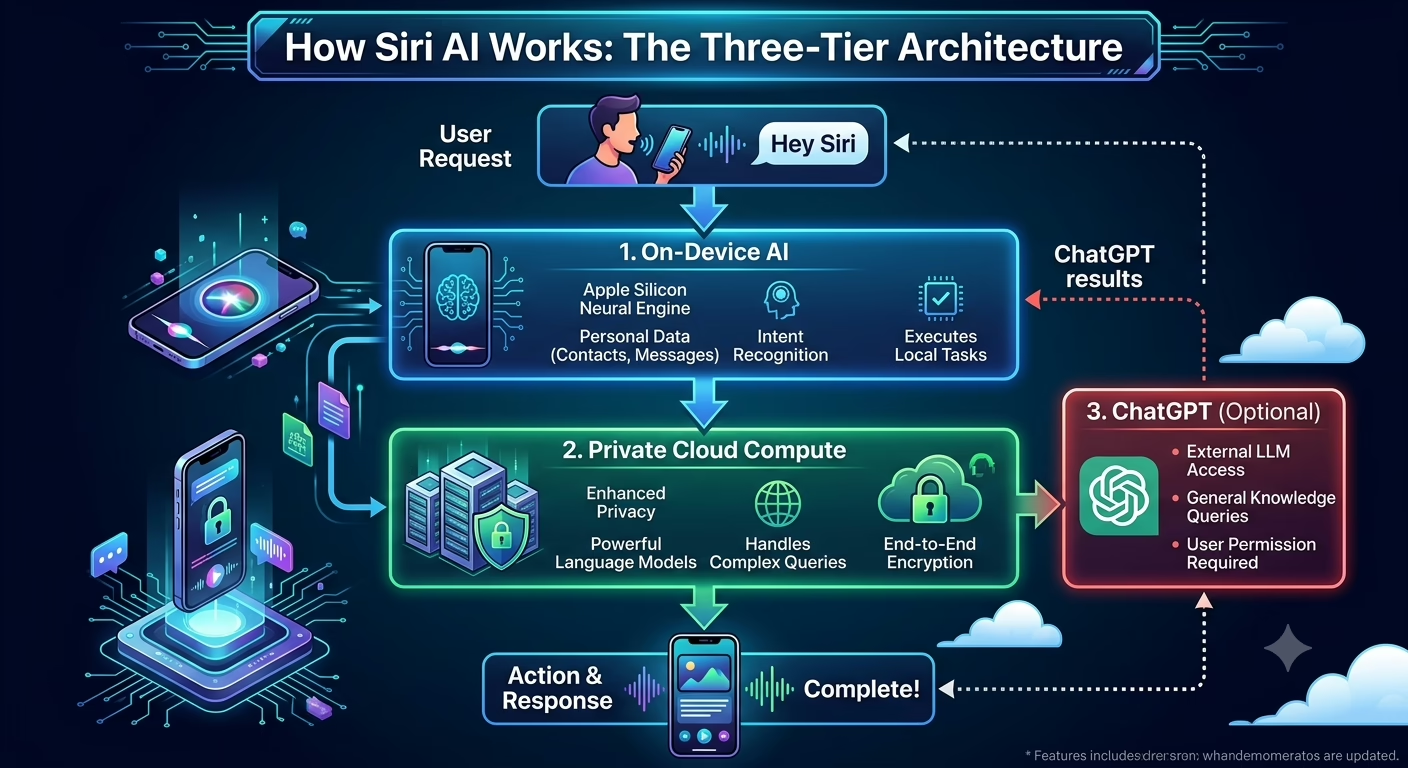
Tier 1 On-Device Processing Routine requests – setting timers, sending a message to a known contact, playing a specific album – are handled entirely by the Apple Silicon neural engine. No network request is made. Your data doesn’t leave your device. This is the baseline behavior for the majority of everyday interactions.
Tier 2 Private Cloud Compute More demanding tasks – summarizing a long email thread, generating a detailed writing suggestion – are routed to Apple’s custom server infrastructure, which runs on Apple Silicon chips. Apple has published technical documentation indicating these servers are designed with a “no persistent storage” model: data is processed and cryptographically erased after the request completes. Apple has also stated that independent security researchers can verify the software running on these servers through binary attestation – a more substantive transparency commitment than a privacy policy.
Tier 3 Third-Party Models For open-ended queries outside your personal context – “write me a cover letter for a product management role” – Siri routes to external providers, with ChatGPT currently the primary option. Users are notified before this handoff, and the request does not include personal device data.
A Note on Trusting Privacy Claims
Apple’s privacy architecture here is more verifiable than typical “we take privacy seriously” language. The binary attestation mechanism for Private Cloud Compute gives independent researchers a path to verify that servers aren’t logging data – a meaningful structural commitment. That said, users are still trusting Apple’s implementation. For most consumers, the risk profile is favorable compared to general-purpose cloud AI. For users handling particularly sensitive professional or legal information, a more careful assessment of Apple’s enterprise documentation is warranted before treating on-device processing as equivalent to air-gapping your data.
Key Features of Siri AI
Natural, Multi-Turn Conversations Siri maintains context within a session. Asking “What about Tuesday?” following a calendar query works as it would in a human conversation – no need to restate the context. This is standard in LLM-based assistants but marks a genuine departure from how legacy Siri functioned.
Cross-App Intelligence Arguably the most significant new capability. Siri can pull information across Mail, Messages, Photos, Calendar, and supported third-party apps in a single response. “What time did Marcus say he’d arrive, and do I have anything on my calendar that afternoon?” draws from two separate data sources and synthesizes an answer – on-device.
Screen Awareness (“Visual Intelligence”) Siri can analyze what is currently on your display and respond to contextual questions about it. Point your camera at a restaurant menu or a document and Siri can extract relevant information. This addresses use cases where cloud-only assistants are structurally limited – they have no access to your screen.
Writing Tools System-wide writing assistance – rewriting, summarizing, adjusting tone – is embedded at the OS level, available in any text field across iOS, iPadOS, and macOS. It is not a separate app or a pasted-in API; it is part of the operating system’s text stack.
Personal Context Retrieval Siri can surface information from your historical data in response to natural language queries. “Find the recommendation Maya sent me about a restaurant in Tokyo” works because Siri can search your messages with contextual awareness – without uploading your message history.
Siri AI vs. Previous Siri
| Feature | Legacy Siri | Siri AI (2026) |
|---|---|---|
| Conversational ability | Single-turn; rigid phrasing required | Multi-turn; natural language |
| App access | Limited Apple app set | Cross-app, including third-party |
| Context awareness | None | Personal data + screen context |
| Processing location | Primarily cloud-based | Tiered: on-device / Private Cloud / third-party |
| Error handling | Restart the request | Clarifies within the conversation |
Siri AI vs. ChatGPT vs. Gemini vs. Claude
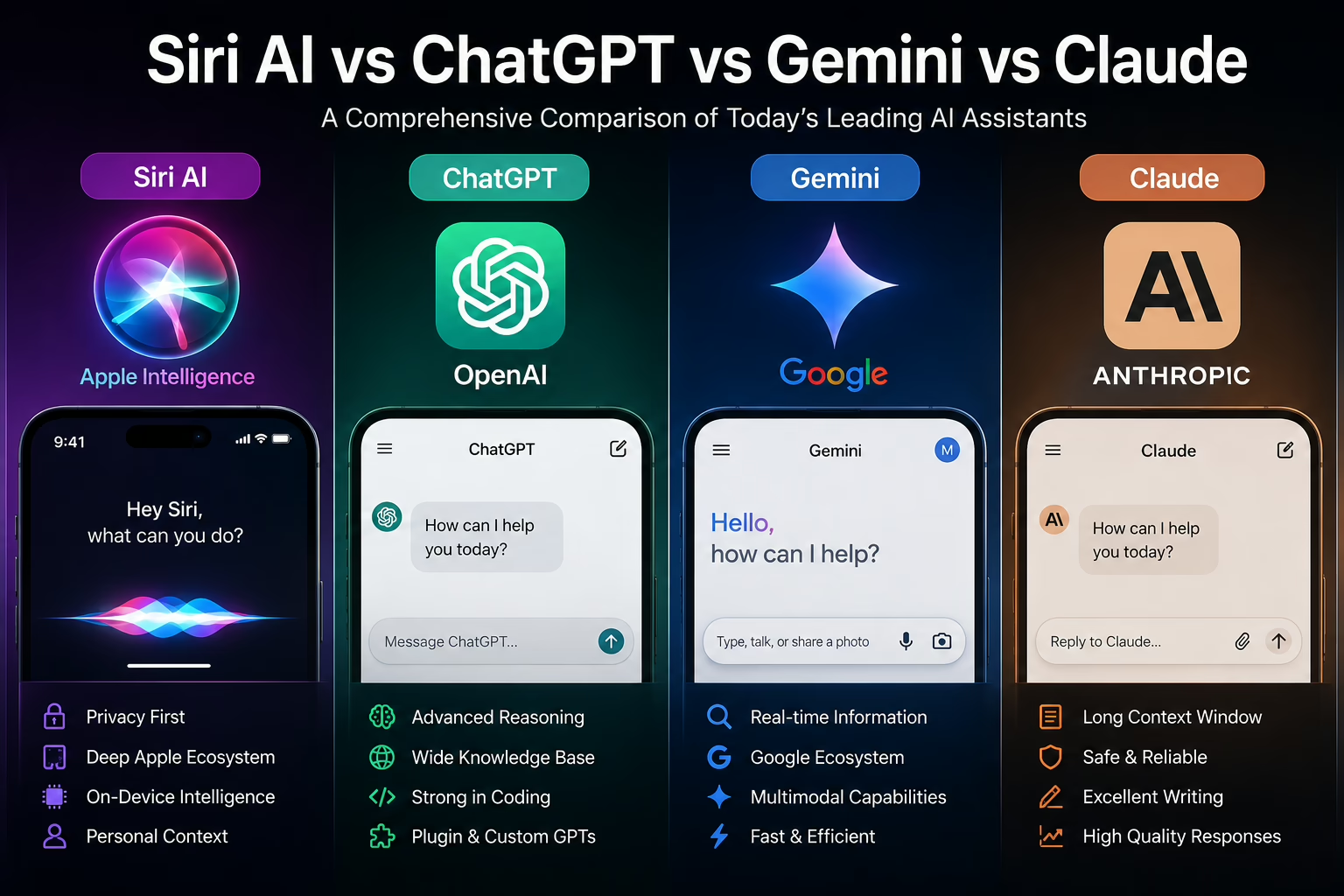
Siri AI vs ChatGPT vs Gemini vs ClaudeA comparison table is useful as shorthand, but it obscures the more important point: these assistants are not competing to do the same thing.
ChatGPT is a general-purpose reasoning engine. It is capable of exceptionally sophisticated open-ended tasks – writing, coding, research synthesis, multi-step analysis – but it has no access to your device, your files, or your personal communications unless you explicitly provide them. That changes the nature of what it can help with day-to-day.
Google Gemini is structurally the closest analogue to Siri AI on Android. It has native OS integration, can read the screen, take actions in apps, and access Google Drive files. Its strengths are anchored in Google’s world-knowledge and search infrastructure; Siri’s are anchored in personal device data. For Android users heavily invested in Google Workspace, Gemini’s advantage in document integration is substantial.
Claude (developed by Anthropic) has a strong reputation for nuanced long-form writing and document reasoning, but it operates primarily as an API service or standalone application. There is no system-level OS integration.
As AI tools become more integrated into consumer devices, concerns about content quality and automation continue to grow.
| Feature | Siri AI | ChatGPT | Gemini | Claude |
|---|---|---|---|---|
| Ecosystem integration | Native OS (Apple) | API / standalone | Native OS (Android) | Third-party API |
| Privacy model | On-device + Private Cloud | Account-based cloud | Account-based cloud | Account-based cloud |
| Agentic capabilities | System-wide device actions | Web browsing / tools | Search + Android actions | Document reasoning |
| Personalization | Deep (device data) | Session-based | Google account data | Session-based |
| Hardware dependency | Apple Silicon required | Any device | Any device | Any device |
The honest competitive assessment: Siri AI is substantially more capable than its predecessor within Apple’s ecosystem. It is not yet at parity with frontier models like GPT-4o or Gemini 1.5 Pro on open-ended reasoning tasks. Apple is trading raw model capability for integration depth and privacy – a reasonable trade for most users’ actual daily workflows, but one that matters if you rely on AI for research, complex writing, or coding assistance.
Bottom Line:
If privacy and Apple ecosystem integration matter most, Siri AI offers advantages over standalone AI assistants. If your primary focus is advanced reasoning, coding, or research, dedicated AI platforms such as ChatGPT, Gemini, or Claude may still provide stronger results.
Real-World Use Cases
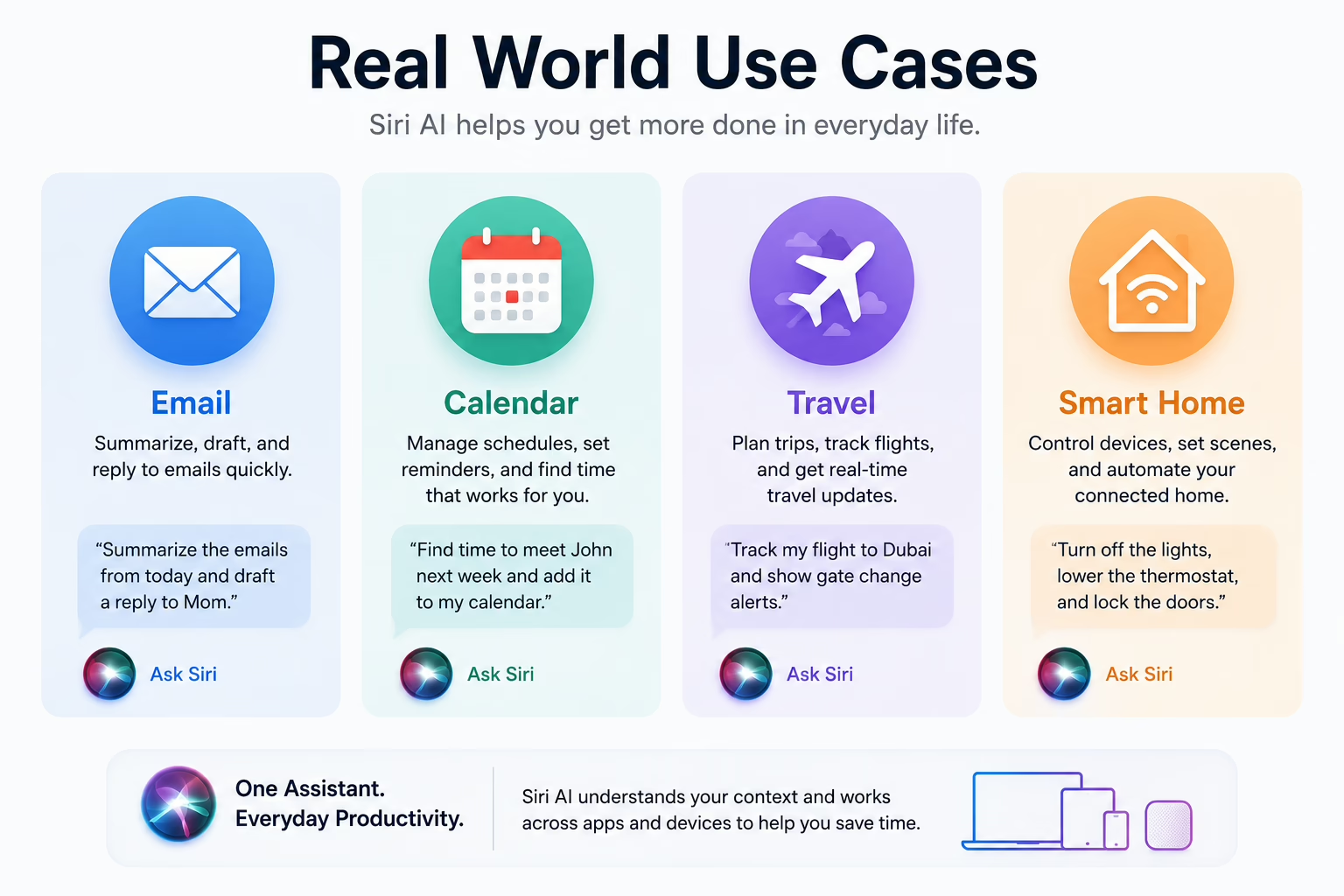
Productivity: “Find the email from James about the Q3 budget revision, pull out the key numbers, and add the sign-off deadline to my calendar.”
Travel: Take a screenshot of a flight confirmation and ask whether the flight is on time, what the baggage allowance is, and what the weather looks like at the destination.
Communication: Draft a reply to a message in your tone, informed by how you’ve written to that person before.
Smart Home: Summarize overnight alerts from HomeKit accessories rather than opening each notification individually. Reliable home networking remains essential for modern smart home environments.
Users relying on AI for software development may still prefer dedicated coding-focused models.”
Expert Analysis: What Apple Got Right and Where the Risk Is Real
Apple’s strategic logic is coherent. It is not competing with OpenAI on model scale or with Google on breadth of web knowledge. It is competing on the dimension where it holds a structural advantage: access to your device, your data, and Apple Silicon hardware capable of running AI models locally.
What the approach does well
The personal context layer solves a real problem that external chatbots cannot. Querying across messages, email, and calendar simultaneously – and acting on the result – addresses genuine friction in how people manage information. No third-party assistant gets that access by default, and most users wouldn’t want to grant it.
Privacy-by-architecture rather than privacy-by-policy is a meaningful distinction. On-device processing doesn’t just protect your data – it eliminates certain categories of risk entirely. For consumers who have become more attuned to data security after years of high-profile cloud breaches, that architecture is a real differentiator.
Where the risks are real
Adoption depends on developers embracing App Intents. Without broad developer participation, Siri AI’s cross-app capabilities remain limited to Apple’s own apps – a genuine improvement over legacy Siri, but not the full vision the WWDC demonstration implied. Apple’s previous Siri shortcut frameworks saw inconsistent developer uptake. The App Intents ecosystem will need close monitoring over the next two OS cycles.
The gap in open-ended reasoning is real and affects a specific subset of users: those who rely on AI for research synthesis, creative writing at scale, or technical problem-solving. Routing to ChatGPT partially addresses this, but it’s a handoff with a consent prompt, not a seamless experience.
Apple is also operating in a commercially complex environment. Its longstanding revenue arrangement with Google for default search is under ongoing regulatory scrutiny. An AI assistant capable of answering queries directly – without triggering a web search – complicates that relationship and could accelerate pressure from both regulators and Google itself.
Pros and Cons of Siri AI
Pros
- On-device processing for routine tasks means personal data genuinely stays on your device for the majority of interactions
- Cross-app intelligence with personal context addresses real daily friction – finding information across apps without opening each one
- Screen-aware assistance works in situations where cloud-based chatbots are structurally unable to help
- No additional subscription required for most features; included with the OS update
- Third-party model routing (currently ChatGPT) extends capability for open-ended tasks without requiring a separate app switch
- Granular privacy controls in iOS settings allow users to restrict what Siri can access
Cons
- Requires Apple Silicon hardware; devices older than iPhone 15 Pro are excluded
- Open-ended reasoning still trails frontier models for demanding analytical or creative tasks
- Cross-app capability depends on developer adoption of App Intents – which may take time to reach critical mass
- Third-party model routing for certain queries still involves an external service
- Feature availability at launch varies by region and language
- Real-world performance outside controlled demonstrations remains to be independently verified
What This Means for Apple Users
If you use an iPhone 15 Pro or later, an M-series iPad, or an M-series Mac, access to most Siri AI features comes with the iOS 27, iPadOS, or macOS update at no extra cost.
The practical impact is most noticeable if you currently piece together information from several apps manually – checking email, messages, and calendar separately to gather context that Siri AI can now assemble in a single query. Users who spend time on routine communication and calendar management will likely see the most immediate benefit.
Users who have already adopted third-party AI apps for writing assistance may find some of that covered natively. Those who rely on AI for research, coding, or complex reasoning will likely continue using dedicated tools – and Siri now routes to ChatGPT for those cases anyway, reducing the need to context-switch.
Privacy-conscious users should read Apple’s technical documentation on Private Cloud Compute directly, rather than relying on product page summaries. The architecture is more transparent than competitors’, with an independent verification mechanism that is uncommon in consumer AI. That transparency is worth understanding in detail.
What This Means for Businesses
For organizations running Apple-heavy environments – which includes a significant share of knowledge workers in professional services, media, and technology – the business implications are practical and near-term.
Productivity: Calendar and email integration with cross-app context extraction can reduce time spent on information retrieval. Finding a specific figure from a communication thread and scheduling a follow-up becomes a single voice or text interaction rather than a multi-tab process.
IT and Data Governance: The on-device and Private Cloud Compute model is likely to reduce friction in AI tool approval processes. Sensitive communications and documents stay on-device; heavier queries go to Apple’s private infrastructure, not a consumer cloud API. IT teams should still review Apple’s enterprise privacy documentation and evaluate how App Intents interact with mobile device management policies before broad deployment.
Developer Opportunity: App Intents integration is now a meaningful product surface. As users expect their tools to be accessible through natural language via Siri, apps without App Intents support risk being bypassed in favor of those that expose their functionality. Development teams building iOS or macOS products should assess their App Intents roadmap now rather than after adoption patterns are established.
A realistic note on timing: AI assistant capabilities at launch are routinely overstated relative to what ships in the first update cycle and matures over the following year. Evaluating Siri AI for critical business workflows warrants hands-on testing, not reliance on WWDC demonstrations.
Frequently Asked Questions
Is Siri AI available on older devices? No. Apple Intelligence requires Apple Silicon: A17 Pro or later on iPhone, M-series on iPad and Mac. iPhone 15 and earlier standard models are excluded.
Does Siri AI read my messages? Siri can access your messages to answer queries you initiate. This processing happens on-device and the content is not transmitted to Apple’s servers or third parties. You can restrict or revoke this access in iOS Privacy settings.
Can I still use ChatGPT or other AI tools independently? Yes. Siri routes certain open-ended queries to ChatGPT as an option, but you can continue using ChatGPT, Claude, Gemini, or any other service separately. Siri’s ChatGPT integration requires consent before any query is sent.
Is Siri AI free? Core features are included with the iOS 27, macOS, and iPadOS updates at no additional charge. Specific ChatGPT features may depend on your ChatGPT account tier.
What happens to data processed through Private Cloud Compute? According to Apple’s published technical documentation, Private Cloud Compute servers process the request and cryptographically erase the data after completion. Apple has committed to independent security researcher verification of server software through binary attestation.
Can Siri AI edit photos? Yes, through deep integration with the Photos app, including object removal and generative fill tools.
How is this different from Google Gemini? Siri AI’s core strength is personal device data and system-level device actions on Apple hardware. Gemini’s strengths are in world-knowledge, web search synthesis, and Google Workspace integration. On Android, Gemini has comparable screen-awareness and on-device capabilities – the comparison depends significantly on which ecosystem you’re in.
Does Siri AI require an internet connection? Routine tasks run on-device and require no connectivity. More demanding tasks use Private Cloud Compute, which requires internet access. Open-ended queries routed to ChatGPT require connectivity and explicit user consent.
Can third-party developers integrate with Siri AI? Yes, using the App Intents framework. The breadth of cross-app Siri AI capabilities will depend on how widely developers implement this in their apps.
How do I control what Siri can access? iOS privacy settings allow granular control over which apps, data types, and features Siri can access. Specific controls for mail, messages, photos, and third-party app access are managed separately.
Who Should Use Siri AI?
- iPhone power users
- Apple ecosystem users
- Privacy-conscious consumers
- Professionals managing emails and calendars
- Students using Apple devices
Conclusion
Siri AI is a more technically substantive effort than Apple’s previous AI announcements, and that is worth stating directly. The tiered processing architecture is genuinely considered. The personal context layer solves a real problem. The privacy model is more verifiable than most cloud AI alternatives.
It is also, at launch, a product whose full capabilities depend on factors that will take time to materialize – developer adoption, real-world performance across millions of users, and the slow accumulation of App Intents coverage across the iOS app ecosystem. Apple demonstrated what Siri AI can do in controlled WWDC conditions; consistent delivery at scale is a different challenge that will be clearer by early 2027.
What Apple is not doing is trying to out-ChatGPT ChatGPT. The bet here is that the most useful AI assistant is the one that knows your life – your schedule, your contacts, your documents, your screen – and can act on that knowledge without exposing it. For daily productivity and communication tasks, that argument is well-made. For users who rely on AI as a research or reasoning partner, dedicated tools remain worth the effort.
The most honest verdict on Siri AI won’t come from WWDC week. It’ll come once developers have shipped App Intents integrations, once privacy researchers have tested the Private Cloud Compute attestation claims, and once the distance between the launch demo and the daily experience becomes clear. That’s the review worth reading.
Sources and Further Reading
- Apple Private Cloud Compute Documentation: https://security.apple.com/documentation/private-cloud-compute
- Apple Machine Learning Research: https://machinelearning.apple.com
- WWDC 2026 Apple Intelligence Sessions: https://www.youtube.com/watch?v=PpwZcoA4ha8
Editor’s Perspective
From a consumer technology perspective, Apple’s approach differs from many AI competitors because it focuses on integrating intelligence directly into everyday device usage rather than positioning AI as a separate destination. Users who spend most of their time inside Apple’s ecosystem are likely to benefit more from Siri AI’s contextual awareness than from standalone chatbot experiences.
Use the key points in this guide to understand the topic and make more informed decisions.

This guide is researched and edited using relevant documentation, reliable sources and publicly available information.
Was this guide helpful?
Your feedback helps us improve future guides.