In this article
Vibe represents Mistral’s evolution from the earlier Le Chat into a broader AI agent built around three modes: Work, Code and Chat. This guide covers how it functions, who it serves and where it fits in the current AI landscape.
What Is Mistral AI Vibe?
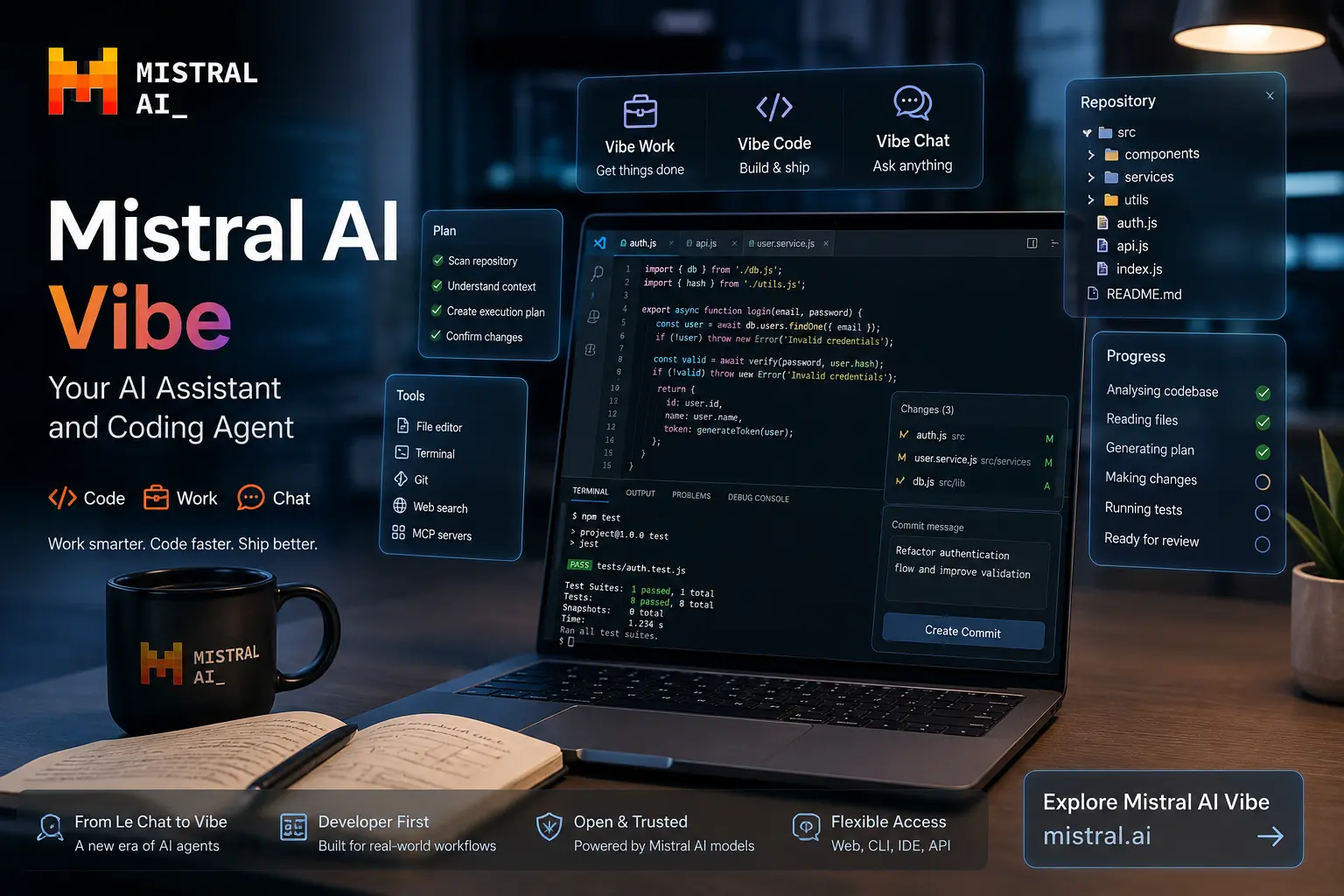
Mistral AI Vibe is the current flagship assistant and agent platform from Mistral, the Paris-based AI company known for building competitive large language models. Vibe replaces the earlier product called Le Chat, and the name change signals an important shift: Mistral no longer positions this as a simple conversational interface. Instead, Vibe is organised around three distinct modes: Vibe Work, Vibe Code and Vibe Chat.
Each mode targets a different category of task. Vibe Work handles research, document analysis and general productivity. Vibe Code focuses on software development, including repository-aware coding, debugging and refactoring. Vibe Chat covers the conversational AI experience many users already know. This separation matters because a single interface handling everything from casual chat to multi-file refactoring would be unwieldy. By splitting modes, Mistral gives each workflow its own context and tooling.
Under the surface, Vibe draws on Mistral’s model ecosystem. The company builds models ranging from lightweight open-weight options to large proprietary systems, and Vibe can route tasks to the appropriate model depending on complexity. For background on the underlying technology, see What Is Artificial Intelligence? and What Is Generative AI?.
Vibe is designed for developers, technical teams, researchers and general users who want more than a basic chatbot. The coding agent capabilities in particular set it apart from assistants that only offer autocomplete. Vibe Code can scan an entire repository, propose multi-file changes, run tests and present diffs for human approval before committing anything. That workflow, described in more detail below, makes it relevant for real software projects rather than just isolated snippets.
Chatbot, Assistant, Agent: Understanding the Difference
The AI industry uses these terms loosely, and the distinctions matter when evaluating a product like Vibe. A chatbot responds to prompts with text. It holds a conversation but does not take action. An assistant adds tool access: it can search the web, read documents or call APIs. An agent goes further. It plans multi-step tasks, executes them, checks results and iterates. A coding agent applies this to software: it reads a repository, proposes changes across files, runs tests and presents diffs.
Vibe Code fits the coding agent category. The illustrative workflow below shows the conceptual pipeline from prompt to output:
This pipeline is not unique to Mistral. Other AI coding tools follow similar patterns. But the integration of this agentic workflow with Mistral’s own models and the broader Vibe platform creates a coherent experience that some developers will prefer over stitching together separate tools.
Vibe Work vs Vibe Code vs Vibe Chat
| Mode | Purpose | Typical Tasks | Interface | Best Suited For |
|---|---|---|---|---|
| Vibe Work | Productivity and research | Document analysis, summarisation, data review, report drafting | Web, desktop | Researchers, analysts, business users |
| Vibe Code | Software development agent | Multi-file refactoring, debugging, test generation, repository exploration | Web, CLI, IDE | Developers, engineering teams |
| Vibe Chat | Conversational AI | Questions, explanations, brainstorming, casual interaction | Web, mobile | General users, students |
The mode separation means you do not accidentally trigger a repository-wide code change while asking a casual question, and you do not get a chatty response when you need a systematic debugging session. Each mode has its own context window and tool set optimised for the task type.
Practical Use Cases
Different user groups approach Vibe differently. Here is how each might use it in practice:
Developers
Vibe Code for repository-aware refactoring, debugging complex bugs, generating tests and reviewing code changes before committing. The CLI and IDE integration allows developers to stay in their normal workflow.
Researchers
Vibe Work for analysing papers, summarising findings, cross-referencing sources and drafting structured reports. The research mode provides document context that goes beyond simple chat.
Business Users
Vibe Work for processing emails, drafting communications, reviewing spreadsheets and building presentations with AI assistance.
Students
Vibe Chat and Vibe Work for understanding concepts, working through problems and getting feedback on written work. The Education plan makes this accessible at a reduced cost.
Example developer prompts that exercise Vibe Code’s capabilities:
These are illustrative prompts. They are not official Mistral recommendations.
Vibe Code for Developers: Beyond Autocomplete
AI autocomplete tools like GitHub Copilot predict the next few lines. A coding agent like Vibe Code operates at a higher level. It understands the repository structure, reasons about multi-file changes and can execute terminal commands, run tests and show a full diff of proposed changes. This changes the developer’s relationship with the AI: instead of accepting or rejecting small suggestions, you review a coherent set of changes and decide whether to approve, modify or discard them.
An illustrative developer workflow for Vibe Code:
Illustrative developer workflow. Actual Vibe Code behaviour depends on configuration and the specific task.
This workflow does not eliminate the developer’s responsibility. AI proposes; the developer reviews. Git, testing, code review and CI/CD pipelines remain essential. Vibe Code adds a layer of automation to the proposal stage. It does not replace version control, and it does not guarantee correctness. For more on developer workflows and DevOps, see Top DevOps Course & Certification Providers in 2026.
How Vibe Works
Mistral documents a workflow that begins with context gathering. When a user submits a task, Vibe collects relevant information: the current file, the repository structure, recent changes, documentation references and any explicit instructions. It then plans a sequence of steps, selects appropriate tools and begins execution. Throughout the process, Vibe presents its progress and waits for human approval at key decision points. The final output is either a completed task or a set of proposed changes ready for review.
This approach reflects a broader industry pattern sometimes called “tool-use agents.” The model calls external tools (file system, terminal, API endpoints, test runners) as part of its reasoning loop. Vibe’s implementation benefits from Mistral’s experience building models optimised for function calling and tool use. For deeper background on the AI techniques involved, see What Is Machine Learning? and What Is Deep Learning?.
Mistral has not published full internal architecture details for Vibe, and this article does not speculate about private infrastructure. The publicly documented workflow is sufficient to understand how the product behaves in practice.
Mistral’s Model Ecosystem
Mistral builds and maintains a family of models that serve different needs. The ecosystem includes open-weight options alongside larger proprietary models accessed through the API. While Mistral does not publicly confirm exactly which model powers each Vibe task at all times, the platform draws on this broader model portfolio. Models like Mistral Large handle complex reasoning, while smaller models like Mistral Small serve lighter tasks efficiently.
This model diversity matters for developers evaluating Vibe. It means the platform can potentially route a simple autocomplete request to a fast, lightweight model while sending a complex multi-file refactoring task to a more capable system. The open-weight side of Mistral’s work also means developers can run compatible models locally or on their own infrastructure for certain use cases. For more on the algorithms powering these models, see What Are AI Algorithms?.
Mistral Vibe Pricing (2026)
Pricing and feature availability can change. This table reflects Mistral’s published information checked for this article.
Check Latest Pricing on MistralEditorial Comparison Across Common AI Workflows
Illustrative editorial scoring, not an official benchmark. Scores reflect the author’s assessment of each platform’s strengths in these workflow categories on a 10-point scale.
| Category | Mistral Vibe | ChatGPT | Claude | Gemini |
|---|---|---|---|---|
| Coding workflow | 9 | 7 | 8 | 6 |
| Research | 7 | 8 | 9 | 7 |
| General conversation | 6 | 9 | 8 | 8 |
| Agentic workflow | 9 | 6 | 7 | 5 |
| Developer tooling | 9 | 6 | 7 | 5 |
Mistral Vibe vs ChatGPT vs Claude vs Gemini
| Feature | Mistral Vibe | ChatGPT | Claude | Gemini |
|---|---|---|---|---|
| General chat | Yes (Vibe Chat) | Yes | Yes | Yes |
| Coding | Strong (Vibe Code agent) | Good | Good | Moderate |
| Coding agents | Yes, multi-file repo-aware | Limited | Emerging | Limited |
| Research | Good (Vibe Work) | Strong | Strong | Good |
| Long-running tasks | Agentic support | Limited | Moderate | Limited |
| Developer workflow | CLI, IDE, Git integration | Plugin ecosystem | API-focused | Google ecosystem |
| Tool ecosystem | MCP, CLI tools | Plugins, GPTs | MCP, API tools | Google integrations |
| Open-model ecosystem | Yes (Mistral open-weight) | No | No | Limited (Gemma) |
| Enterprise deployment | Custom, private | Azure, enterprise | API, enterprise | Google Cloud |
| Best suited user | Developers, technical teams | General users, broad tasks | Researchers, writers, analysts | Google ecosystem users |
No single platform is universally better. Developers who need a coding agent with CLI and repository integration may find Vibe Code compelling. Researchers who need deep document analysis may prefer Claude. General users who want broad capabilities and a large plugin ecosystem often default to ChatGPT. For detailed comparisons, see the Complete ChatGPT Guide, the Claude AI Master Guide and the Complete Kimi Guide.
Practical Tests to Evaluate Vibe
A useful way to evaluate Vibe is to run structured tests that reveal its real behaviour. Here are five suggested tests, along with what to observe and what a good result looks like.
| Test | Prompt | What to Observe | Good Result | Potential Failure |
|---|---|---|---|---|
| 1. Repository understanding | “Explain the architecture of this project. Identify the main modules and how they connect.” | Does Vibe correctly map the directory structure and identify key interfaces? | Accurate module map with correct dependency relationships. | Hallucinated modules or incorrect dependency claims. |
| 2. Debugging | “Find the likely cause of this failing test and explain the smallest safe fix.” | Does Vibe trace the failure through the codebase logically? | Root cause identified with a minimal, correct fix proposed. | Misidentification of the bug or an overly broad change. |
| 3. Multi-file refactoring | “Extract the duplicated validation logic into a shared utility. Update all call sites.” | Does Vibe find all occurrences and update them consistently? | Clean extraction with all call sites correctly updated. | Missed call sites or broken imports. |
| 4. Research | “Summarise the key findings from these three research papers and identify areas of agreement.” | Does Vibe accurately synthesise information across documents? | Accurate summaries with correctly identified cross-paper connections. | Misattributed findings or fabricated connections. |
| 5. Long-running agent task | “Add a new API endpoint following the existing patterns. Write tests, update docs and create a PR description.” | Does Vibe sustain coherence across multiple steps without losing context? | Complete, consistent implementation with passing tests. | Context drift, incomplete steps or inconsistent styling. |
Developers should test Vibe Code on their own repositories. Performance varies with codebase size, language and structure. No AI coding agent handles every scenario reliably, and manual review remains essential.
The AI Developer Stack: Where Vibe Fits
Vibe does not replace the developer toolchain. It adds an AI layer that proposes changes. The full stack still includes version control, testing, code review and CI/CD:
The key insight: AI proposes, the developer reviews. Git tracks every change. Tests validate behaviour. Code review catches issues the AI missed. CI/CD ensures the pipeline remains intact. Vibe sits at the proposal layer, not the approval layer. For more on the infrastructure side, see Top DevOps Course & Certification Providers in 2026.
Strengths and Weaknesses
Strengths
- Agentic workflows with multi-step task execution
- Strong developer orientation with CLI and IDE options
- Repository-aware coding rather than simple autocomplete
- Mistral ecosystem with open-weight model availability
- Enterprise deployment options including private hosting
- Dedicated Work, Code and Chat modes for different tasks
- Competitive pricing with a capable free tier
Weaknesses
- Usage limits apply on free and lower-tier plans
- Product is still evolving; features can change
- AI makes mistakes; coding agents can introduce bugs
- Complex multi-step tasks can fail or lose context
- Competitors may have stronger ecosystems for some users
- Smaller community and plugin ecosystem compared to ChatGPT
Who Should Use Mistral Vibe?
Developer
If you work across multiple files, review diffs and use Git daily, Vibe Code’s agentic approach fits your workflow. The CLI and IDE integration keep you in your normal environment.
Technical Team
Teams that need shared workspaces, collaborative coding support and enterprise deployment options will find the Team and Enterprise plans relevant.
Researcher
Vibe Work provides document analysis and synthesis capabilities that suit academic and professional research workflows.
General User
Vibe Chat covers conversational needs. However, users who primarily want a broad chat experience with extensive plugins may prefer ChatGPT or Claude.
Developers who need a coding agent specifically, and who value open-weight model options, should evaluate Vibe Code seriously. Users who primarily want a versatile general assistant with the largest plugin marketplace may find competitors more suitable. The ChatGPT ecosystem and Claude’s research capabilities offer different strengths worth comparing directly.
Vibe and Traditional Developer Tools
AI coding agents do not replace IDEs, version control systems or testing frameworks. An IDE provides deterministic refactoring, debugging and project navigation. Git provides auditable history and collaboration. Testing frameworks provide reproducible validation. Vibe Code adds an AI-powered proposal layer on top of these tools. It suggests changes; it does not guarantee them.
The responsible approach is to treat AI-generated code the same way you treat code from a new team member: review it carefully, run the tests, check the diff and decide whether it belongs in the codebase. Tools like Vibe can accelerate development significantly, but they introduce a new category of risk: plausible-looking code that contains subtle errors. Developer judgement remains the most important part of the pipeline.
Frequently Asked Questions
What is Mistral AI Vibe?
What happened to Le Chat?
Is Mistral Vibe free?
How much does Mistral Vibe Pro cost?
What is Vibe Work?
What is Vibe Code?
What is Vibe Chat?
Can Mistral Vibe write code?
Does Mistral Vibe work with VS Code?
Is Mistral Vibe better than ChatGPT?
Can businesses deploy Mistral AI privately?
Is there an education plan?
Explore Mistral Vibe
Visit the official Mistral website to try Vibe, compare plans and read the latest documentation.
Visit Mistral AIUse the key points in this guide to understand the topic and make more informed decisions.

This guide is researched and edited using relevant documentation, reliable sources and publicly available information.
Was this guide helpful?
Your feedback helps us improve future guides.