Picture this. You have a blog deadline, twelve open browser tabs, a half-finished brief, and someone in Slack asking, “Can we get this done today?” You open an AI tool and suddenly there are two names on your screen: ChatSonic and ChatGPT.
At first glance, they seem to do the same thing. You type. The AI replies. Easy.
Spend a little time with both, though, and the difference becomes clearer. ChatSonic sits inside a marketing-focused ecosystem built by Writesonic. ChatGPT is OpenAI’s general-purpose AI assistant, designed for everything from writing and coding to web search, file analysis, voice conversations, planning, and problem-solving.

So, which one wins?
Honestly, that depends on what you are trying to get done. If your workday revolves around SEO, content briefs, brand voice, marketing data, and publishing workflows, ChatSonic may feel more purpose-built. If your day is a chaotic mix of research, documents, coding, brainstorming, studying, and random questions, ChatGPT is usually the more flexible choice.
TL;DR: ChatSonic is best understood as a marketing-focused AI workspace. ChatGPT is a broader AI assistant with a wider range of everyday and technical use cases. Neither tool is automatically “better.” The better fit depends on your workflow.
Quick verdict: Choose ChatSonic if your biggest priority is marketing, SEO, content production, and connected workflows. Choose ChatGPT if you want one AI assistant for writing, research, coding, files, data analysis, voice, images, and general problem-solving.
ChatSonic vs ChatGPT: Quick Comparison
Here is the short version before we get into the details. Features and limits can change by plan, account, and region, so treat this as a current snapshot rather than a permanent product spec sheet.
| Category | ChatSonic | ChatGPT |
|---|---|---|
| Company | Writesonic | OpenAI |
| Main focus | Marketing, SEO, AI search visibility, content workflows | General-purpose AI assistance across many tasks |
| Web information | Real-time web search and marketing-oriented research workflows | Web search with source-backed responses in supported experiences |
| Writing | Strong fit for marketing and content production | Broad writing, rewriting, brainstorming, editing and creative work |
| Files and data | Supports file and data workflows within the platform | File uploads, data analysis and structured problem-solving on supported plans |
| Coding | Useful for basic assistance, but not its main identity | Strong general coding and debugging workflow |
| Customization | Brand voice, marketing workflows and connected tools | Memory, custom instructions, custom GPTs and plan-dependent tools |
| Best fit | Marketers, SEO teams and content operations | Students, professionals, developers, researchers and general users |
Want the bigger picture behind tools like these? Start with What Is Artificial Intelligence?, then explore What Is Generative AI? and our guide to the latest AI models in 2026.
What Is ChatSonic?
ChatSonic is Writesonic’s AI chat and marketing assistant. The easiest way to understand it is this: ChatSonic is not trying to be just another blank chat box.
Writesonic positions the product around marketing work. Its current product materials highlight access to multiple AI models, web research, file and data workflows, brand voice, and integrations with marketing tools and platforms. ChatSonic can also work with real-time information and is designed to connect research with creation.
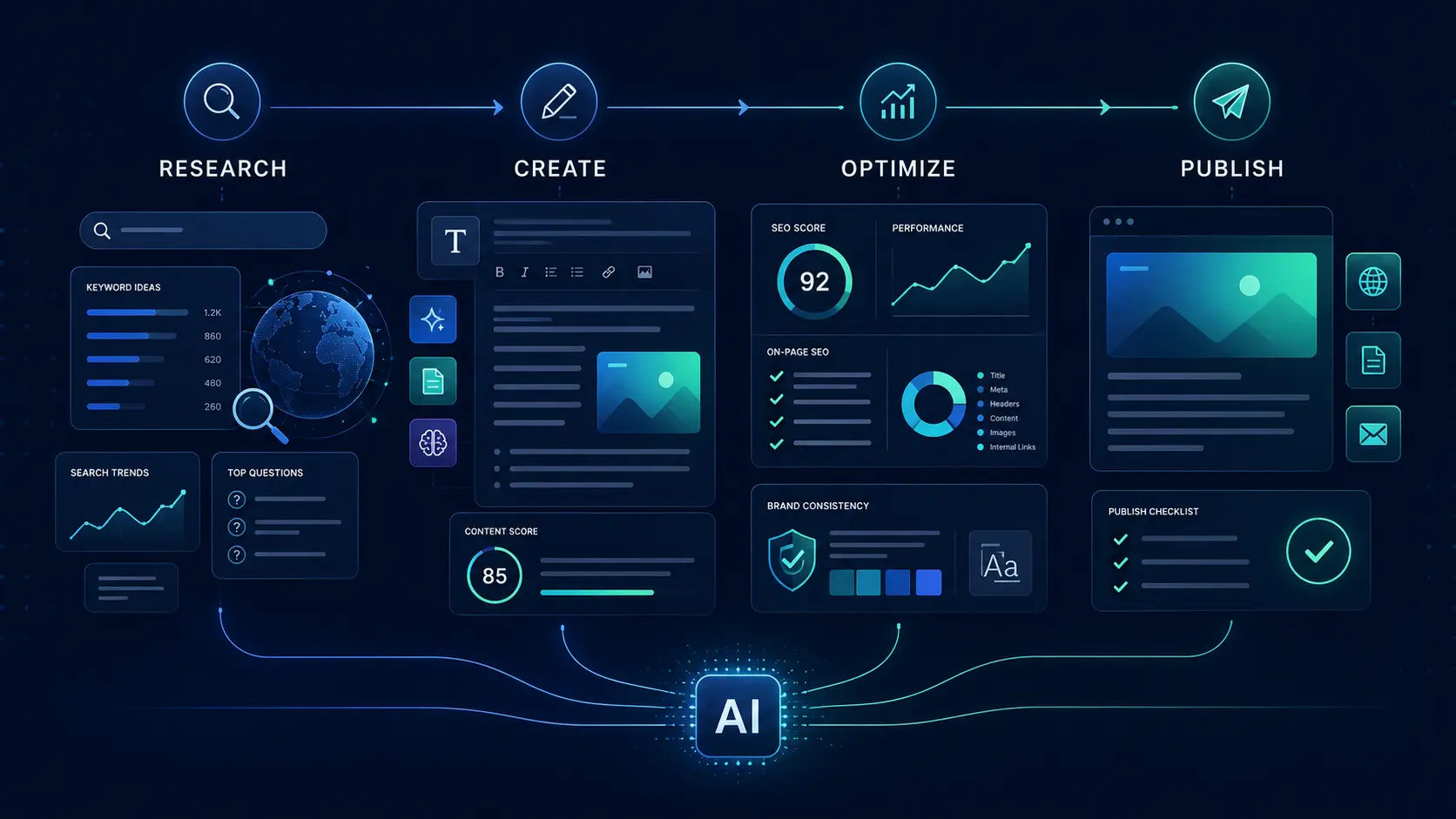
That changes the vibe of the product. Instead of asking only, “What can this AI answer?”, a marketer might ask, “Can this help me research a keyword, understand what is already ranking, draft the content, match our brand voice, and move the work toward publishing?”
That workflow-first approach is ChatSonic’s biggest differentiator.
Where ChatSonic makes the most sense
- SEO and content teams working on repeatable workflows
- Marketing teams that care about brand consistency
- People researching topics before creating content
- Businesses working with connected marketing and publishing tools
- Users who want AI inside a broader content and search-visibility platform
If your job involves making content at scale, that context matters. It also connects naturally with topics we cover in How AI Builds Business Credibility and Trust and How Artificial Intelligence Is Changing the Future of Digital Business.
What Is ChatGPT?
ChatGPT is OpenAI’s AI assistant for everyday and professional tasks. You can use it to write, study, plan, brainstorm, solve problems, code, analyze images and files, work with data, and, in supported experiences, search the web for current information.
The big difference is range.
ChatGPT is designed to be useful even when your task has nothing to do with marketing. One minute you might be rewriting an email. The next minute you are debugging Python. Then you upload a spreadsheet, ask for a chart, switch to voice, and ask for help planning a trip.
That flexibility is why ChatGPT works well as a general digital assistant rather than a specialist marketing platform.
If you are new to the tool, our Complete ChatGPT Guide and ChatGPT Guide for Beginners are useful starting points.
The simplest distinction: ChatSonic is built around marketing workflows. ChatGPT is built around broad problem-solving. Everything else in this comparison makes more sense once you understand that.
ChatSonic vs ChatGPT: Feature-by-Feature Comparison
1. Writing and content creation
Both tools can write. The real question is what kind of writing you do repeatedly.
ChatSonic is more naturally aligned with marketing production. Brand voice, SEO workflows, research, and content creation are part of the wider Writesonic environment. That can be useful when you are producing articles, campaigns, product content, or marketing assets repeatedly.
ChatGPT is more flexible. It can write a landing page, explain why your landing page is weak, rewrite it for a different audience, turn it into a script, summarize feedback, and help you brainstorm the next campaign.
For content at scale, ChatSonic may feel more organized. For creative or unpredictable work, ChatGPT often gives you more room to explore.
And yes, whichever tool you use, the first draft should not be the final draft. Our guide to making AI-generated text sound more natural explains why the human editing step still matters.
2. Web research and current information
This category is important because outdated AI answers can be painful. Especially when you are writing about software, pricing, product launches, or anything that changes fast.
ChatSonic’s official documentation highlights real-time web search and research capabilities. Its wider platform is also designed around marketing data and AI search visibility.
ChatGPT can search the web and provide source-backed responses in supported experiences. OpenAI also positions search as a way to find recent or real-time information, although availability and limits depend on the account and product experience.
For either tool, there is one rule worth keeping: AI can speed up research, but it should not replace checking the original source when accuracy matters.
If you want to understand the technology behind retrieving and combining information, read our Complete RAG Guide.
3. AI models
This is where comparison articles often get messy.
The chatbot and the underlying model are not the same thing.
ChatSonic can provide access to multiple AI model families within a marketing-focused interface, while ChatGPT is OpenAI’s own AI product ecosystem. Model availability changes over time, and different plans may expose different models or reasoning options.
So do not choose purely because a tool lists more model names. Ask what those models actually help you do inside your workflow.
For broader model comparisons, see our guides to Claude AI, Kimi AI, Gemini, and DeepSeek.
4. Files, images and multimodal work
Modern AI is no longer only about typing prompts.
ChatGPT supports a wider multimodal workflow, including images, files, data analysis and voice features depending on your plan and account. OpenAI’s current documentation also describes tools for web search, Canvas, memory and data analysis.
ChatSonic’s documentation also highlights multimodal interaction, PDF chat, image generation, video summarization and brand voice features. That makes it more capable than the old stereotype of “just an AI writer.”
The difference is still about context. ChatGPT treats these tools as part of a broad assistant. ChatSonic places them inside a marketing and content environment.
5. Coding and technical work
Here, ChatGPT is usually the easier recommendation for people whose day involves code.
You can use it to explain code, help debug errors, think through implementation choices, draft documentation, and work through technical problems. The wider ChatGPT ecosystem is also built around coding and analytical tasks, not only content creation.
ChatSonic can still answer technical questions, but coding is not the center of its product identity. If you are a developer choosing one tool primarily for programming work, ChatGPT is the more natural place to start.
For the fundamentals behind AI systems and programming-related intelligence, check out What Is Machine Learning?, What Is Deep Learning?, and What Are AI Algorithms?.
6. Customization and workflow
ChatSonic leans into business context. Brand voice, connected marketing tools, research workflows, SEO, and publishing-related work are central to the broader Writesonic platform.
ChatGPT leans into assistant personalization. Depending on availability, users can work with memory, custom instructions, projects, tasks and custom GPTs. That makes it easier to shape ChatGPT around different personal or professional workflows.
Neither approach is automatically better. A content agency may value brand controls more. A solo user juggling ten unrelated tasks may value flexibility more.
Visual Comparison Chart
Editorial workflow fit
This is a visual summary of product positioning and workflow fit, not a scientific benchmark or performance test.
Real-World Use Cases: Who Should Use What?
For content marketers
If your work is basically a never-ending loop of keywords, briefs, drafts, revisions, metadata and publishing, ChatSonic deserves serious consideration. Its marketing-first environment is its biggest advantage.
For students and researchers
ChatGPT is usually the more flexible option. It can help explain concepts, work through ideas, analyze files, organize information and search for current sources. Still, use it as a research assistant, not a substitute for reading important source material yourself.
For developers
ChatGPT is the clearer fit for most coding workflows because technical problem-solving is part of its core use case.
For businesses
This one is less about “best AI” and more about where AI will actually live inside the company. Marketing teams may prefer ChatSonic’s ecosystem. Broader teams may get more value from ChatGPT’s range.
Related business use cases include AI Customer Support and AI Leadership and Decision-Making.
For casual users
If you simply want one AI assistant for questions, planning, writing, learning and random daily problems, ChatGPT is easier to recommend.
Pricing and Value: Not a Simple Apples-to-Apples Comparison
This is where people can get misled by a basic price table.
ChatGPT is sold as a consumer AI subscription with multiple tiers. OpenAI currently lists a Free plan and paid Go, Plus and Pro subscriptions, with published U.S. reference prices including Go at $8 per month, Plus at $20 per month, and Pro at $200 per month. Regional pricing can differ.
Writesonic’s current pricing is structured around a much broader SEO, content and AI search visibility platform. Its public pricing page lists Starter, Basic, Growth and Enterprise tiers, with prices and features tied to the broader platform rather than treating ChatSonic as a simple one-product subscription. Current public prices can change, and annual billing can differ from monthly billing.
| Pricing question | ChatSonic / Writesonic | ChatGPT |
|---|---|---|
| What are you paying for? | A broader SEO, content and AI search visibility platform that includes AI chat capabilities | A general-purpose AI assistant and its plan-dependent tools |
| Free access | Official site offers free access or trial options depending on the current offer | Free tier available with limits |
| Published paid structure | Starter, Basic, Growth and Enterprise tiers on current public pricing | Go, Plus and Pro, plus Business and Enterprise offerings |
| Best value question | Do you need the wider marketing platform? | Do you need a broad AI assistant every day? |
Pricing checked August 30, 2026. Product pricing and features can change, so check the official pricing page before publishing a purchase recommendation.
Advantages and Limitations
ChatSonic strengths
- Built around marketing and content workflows
- Brand voice and content consistency features
- Real-time web research capabilities
- SEO and AI search visibility context
- Access to a broader Writesonic business ecosystem
ChatSonic limitations
- May be more platform than a casual user actually needs
- Pricing is not as simple as a single chatbot subscription
- Best value depends heavily on whether you use the wider marketing stack
- Exact model and feature access can vary over time
ChatGPT strengths
- Broad range of everyday and professional use cases
- Strong fit for coding and technical problem-solving
- Web search, files, data analysis, voice and image workflows on supported plans
- Free tier makes it easy to test before paying
- Flexible ecosystem for individuals and teams
ChatGPT limitations
- Less purpose-built for SEO and content operations
- Usage limits and available models can change
- Good results still depend on prompts and human review
- Not every feature is available on every plan or in every region
Which One Should You Choose?
Choose ChatSonic if:
- Your work is heavily focused on marketing and SEO
- You want AI connected to content production workflows
- Brand voice consistency matters across lots of content
- You are already interested in the wider Writesonic platform
Choose ChatGPT if:
- You need one assistant for many unrelated tasks
- You code, analyze files or work with data
- You want web search, voice, images and general AI assistance in one place
- You want to start with a free tier and expand later
Consider both if: your marketing team has specialized content needs, but your wider business also needs a flexible AI assistant for research, technical work and general productivity.

See ChatSonic in Action
How This Comparison Was Researched
This article was reviewed against official product pages, official documentation and current pricing information available on August 30, 2026. We avoided treating subjective workflow preferences as benchmark results. Feature availability, model access, usage limits and pricing can change, so readers should always check the latest official product pages before making a buying decision.
Primary sources
Last reviewed: August 30, 2026. Features, models, limits and prices may change.